> ## Documentation Index
> Fetch the complete documentation index at: https://docs.scrapegraphai.com/llms.txt
> Use this file to discover all available pages before exploring further.
# 📰 Wired Articles
> How to extract articles from Wired.com
 [](https://github.com/ScrapeGraphAI/scrapegraph-py/blob/main/cookbook/wired-news/scrapegraph_sdk.ipynb)
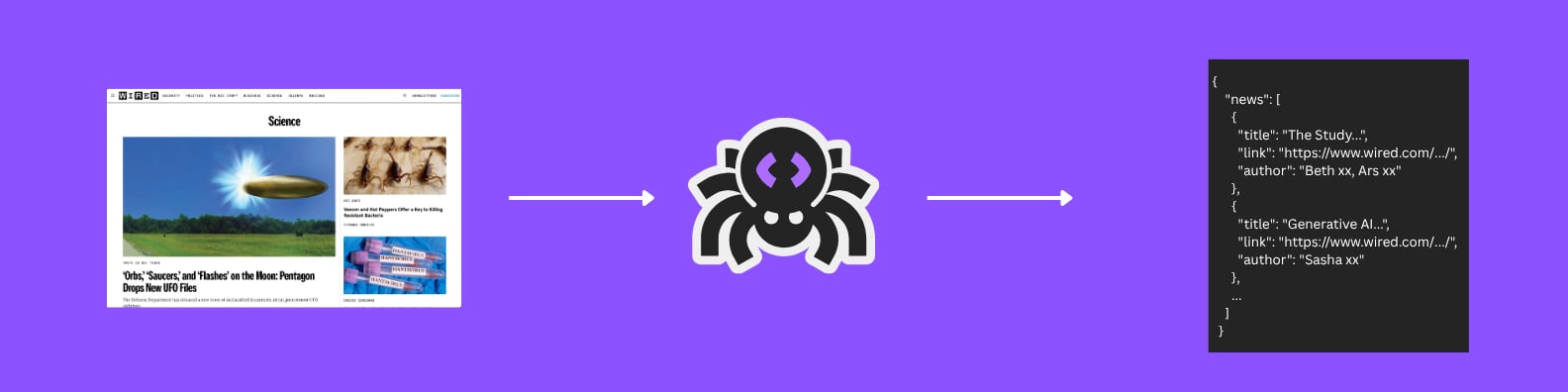
Learn how to extract article information from Wired.com using ScrapeGraphAI's Extract service. This example demonstrates how to gather article details, categories, and author information.
## The Goal
We'll extract the following article information:
| Field | Description |
| -------- | ------------------------------------------------ |
| Category | Article category (e.g., 'Health', 'Environment') |
| Title | Article headline |
| Link | URL to the full article |
| Author | Writer's name |
## Code Example
```python theme={null}
from pydantic import BaseModel, Field
from typing import List
from scrapegraph_py import ScrapeGraphAI
# Schema for a single news item
class NewsItemSchema(BaseModel):
category: str = Field(description="Category of the news (e.g., 'Health', 'Environment')")
title: str = Field(description="Title of the news article")
link: str = Field(description="URL to the news article")
author: str = Field(description="Author of the news article")
# Schema that contains a list of news items
class ListNewsSchema(BaseModel):
news: List[NewsItemSchema] = Field(description="List of news articles with their details")
sgai = ScrapeGraphAI() # reads SGAI_API_KEY from env
res = sgai.extract(
"Extract latest news articles",
url="https://www.wired.com/",
schema=ListNewsSchema.model_json_schema(),
)
if res.status == "success":
print(res.data.json_data)
```
## Example Output
```json theme={null}
{
"news": [
{
"category": "Artificial Intelligence",
"title": "The Race to Build Better Large Language Models",
"link": "https://www.wired.com/story/the-race-to-build-better-llms",
"author": "Will Knight"
},
{
"category": "Security",
"title": "The Latest Cybersecurity Threats You Need to Know About",
"link": "https://www.wired.com/story/latest-cybersecurity-threats",
"author": "Lily Hay Newman"
},
{
"category": "Science",
"title": "New Discoveries in Quantum Computing",
"link": "https://www.wired.com/story/quantum-computing-discoveries",
"author": "Steven Levy"
}
]
}
```
Learn more about our AI-powered extraction service
Explore our Python SDK documentation
***
Have a suggestion for a new example? [Contact us](mailto:contact@scrapegraphai.com) with your use case or contribute directly on [GitHub](https://github.com/ScrapeGraphAI/scrapegraph-sdk).
[](https://github.com/ScrapeGraphAI/scrapegraph-py/blob/main/cookbook/wired-news/scrapegraph_sdk.ipynb)
Learn how to extract article information from Wired.com using ScrapeGraphAI's Extract service. This example demonstrates how to gather article details, categories, and author information.
## The Goal
We'll extract the following article information:
| Field | Description |
| -------- | ------------------------------------------------ |
| Category | Article category (e.g., 'Health', 'Environment') |
| Title | Article headline |
| Link | URL to the full article |
| Author | Writer's name |
## Code Example
```python theme={null}
from pydantic import BaseModel, Field
from typing import List
from scrapegraph_py import ScrapeGraphAI
# Schema for a single news item
class NewsItemSchema(BaseModel):
category: str = Field(description="Category of the news (e.g., 'Health', 'Environment')")
title: str = Field(description="Title of the news article")
link: str = Field(description="URL to the news article")
author: str = Field(description="Author of the news article")
# Schema that contains a list of news items
class ListNewsSchema(BaseModel):
news: List[NewsItemSchema] = Field(description="List of news articles with their details")
sgai = ScrapeGraphAI() # reads SGAI_API_KEY from env
res = sgai.extract(
"Extract latest news articles",
url="https://www.wired.com/",
schema=ListNewsSchema.model_json_schema(),
)
if res.status == "success":
print(res.data.json_data)
```
## Example Output
```json theme={null}
{
"news": [
{
"category": "Artificial Intelligence",
"title": "The Race to Build Better Large Language Models",
"link": "https://www.wired.com/story/the-race-to-build-better-llms",
"author": "Will Knight"
},
{
"category": "Security",
"title": "The Latest Cybersecurity Threats You Need to Know About",
"link": "https://www.wired.com/story/latest-cybersecurity-threats",
"author": "Lily Hay Newman"
},
{
"category": "Science",
"title": "New Discoveries in Quantum Computing",
"link": "https://www.wired.com/story/quantum-computing-discoveries",
"author": "Steven Levy"
}
]
}
```
Learn more about our AI-powered extraction service
Explore our Python SDK documentation
***
Have a suggestion for a new example? [Contact us](mailto:contact@scrapegraphai.com) with your use case or contribute directly on [GitHub](https://github.com/ScrapeGraphAI/scrapegraph-sdk).