> ## Documentation Index
> Fetch the complete documentation index at: https://docs.scrapegraphai.com/llms.txt
> Use this file to discover all available pages before exploring further.
# Dashboard
> Overview of your ScrapeGraphAI dashboard
## Dashboard Overview
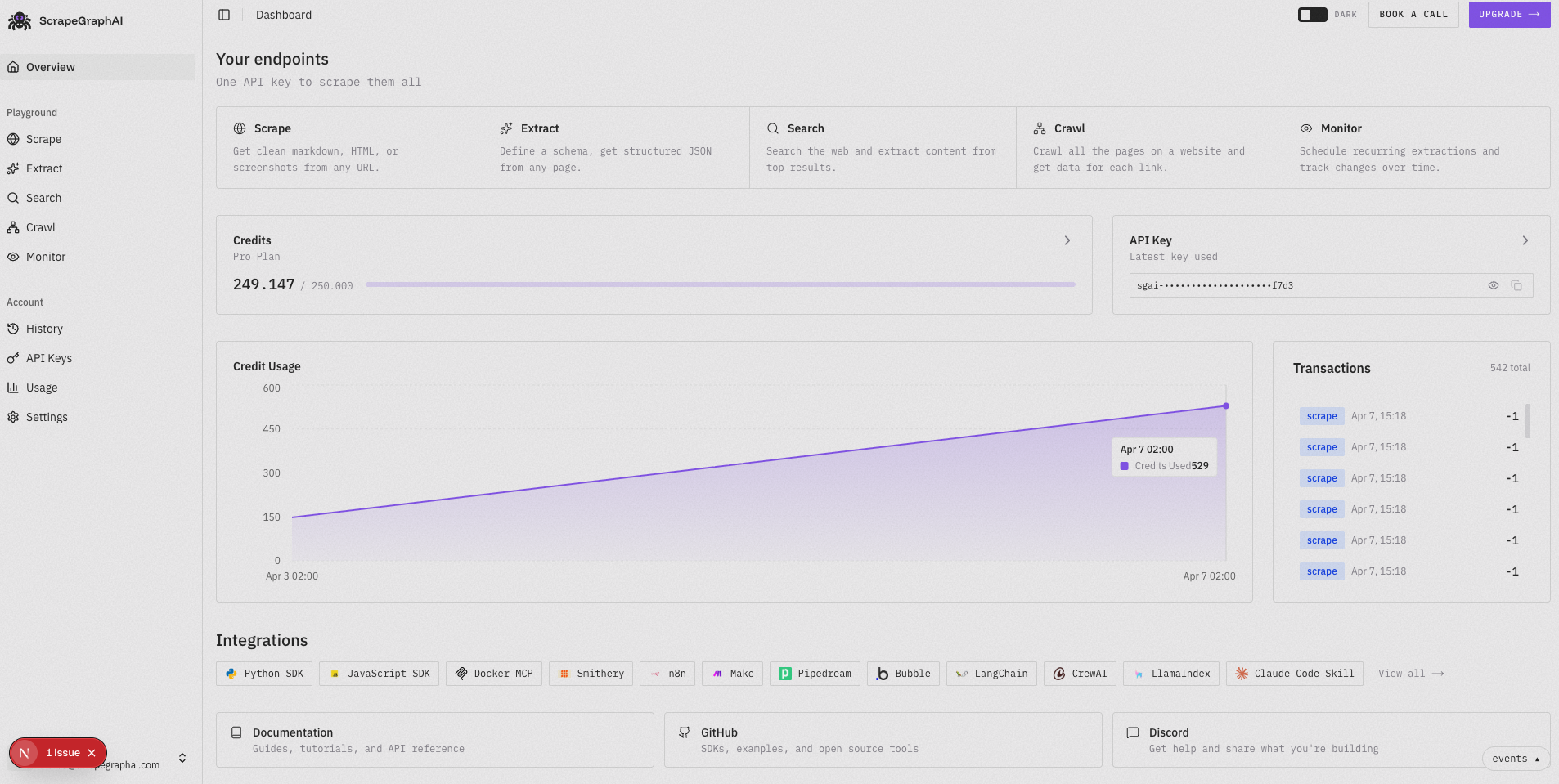
The ScrapeGraphAI dashboard is your central hub for managing all your web scraping operations. Here you can monitor your usage, start new jobs, and manage your account settings.
 ### Main Dashboard Elements
* **API Key**: Your personal authentication key required for accessing all services
* **Total Requests**: Counter showing your total API calls across all services
* **Last Used**: Timestamp of your most recent API request
* **Quick Actions**: Buttons to start new scraping jobs or access common features
## Key Features
* **Usage Statistics**: Monitor your API usage and remaining credits
* **Recent Jobs**: View and manage your recent scraping jobs
* **Quick Actions**: Start new scraping jobs with just a few clicks
## Getting Started
1. Log in to your [dashboard](https://scrapegraphai.com/dashboard)
2. View your API key in the settings section
3. Check your available credits
4. Start your first scraping job
Check out our [quickstart guide](/introduction) or [contact support](mailto:contact@scrapegraphai.com)
### Main Dashboard Elements
* **API Key**: Your personal authentication key required for accessing all services
* **Total Requests**: Counter showing your total API calls across all services
* **Last Used**: Timestamp of your most recent API request
* **Quick Actions**: Buttons to start new scraping jobs or access common features
## Key Features
* **Usage Statistics**: Monitor your API usage and remaining credits
* **Recent Jobs**: View and manage your recent scraping jobs
* **Quick Actions**: Start new scraping jobs with just a few clicks
## Getting Started
1. Log in to your [dashboard](https://scrapegraphai.com/dashboard)
2. View your API key in the settings section
3. Check your available credits
4. Start your first scraping job
Check out our [quickstart guide](/introduction) or [contact support](mailto:contact@scrapegraphai.com)