> ## Documentation Index
> Fetch the complete documentation index at: https://docs.scrapegraphai.com/llms.txt
> Use this file to discover all available pages before exploring further.
# Zapier
> Use ScrapeGraphAI inside Zapier Zaps — scrape, extract, search, crawl, and monitor web pages with no code
## Overview
The ScrapeGraphAI app for Zapier connects any Zap to ScrapeGraph's v2 API as native Zapier actions — fetch pages, extract structured JSON, run web searches, kick off multi-page crawls, and schedule monitors. Pair it with Zapier's 7,000+ apps to wire scraping into Slack, Sheets, Notion, Airtable, HubSpot, or anything else.
Install the app and start a Zap
Get your API key
## Connect ScrapeGraphAI
1. In any Zap, search for **ScrapeGraphAI** as an action and pick one — for example **Scrape a URL**.
2. When prompted, click **Sign in** → paste your `SGAI-APIKEY` from the [dashboard](https://scrapegraphai.com/dashboard).
3. Save the connection — Zapier reuses it across every ScrapeGraphAI step in every Zap.
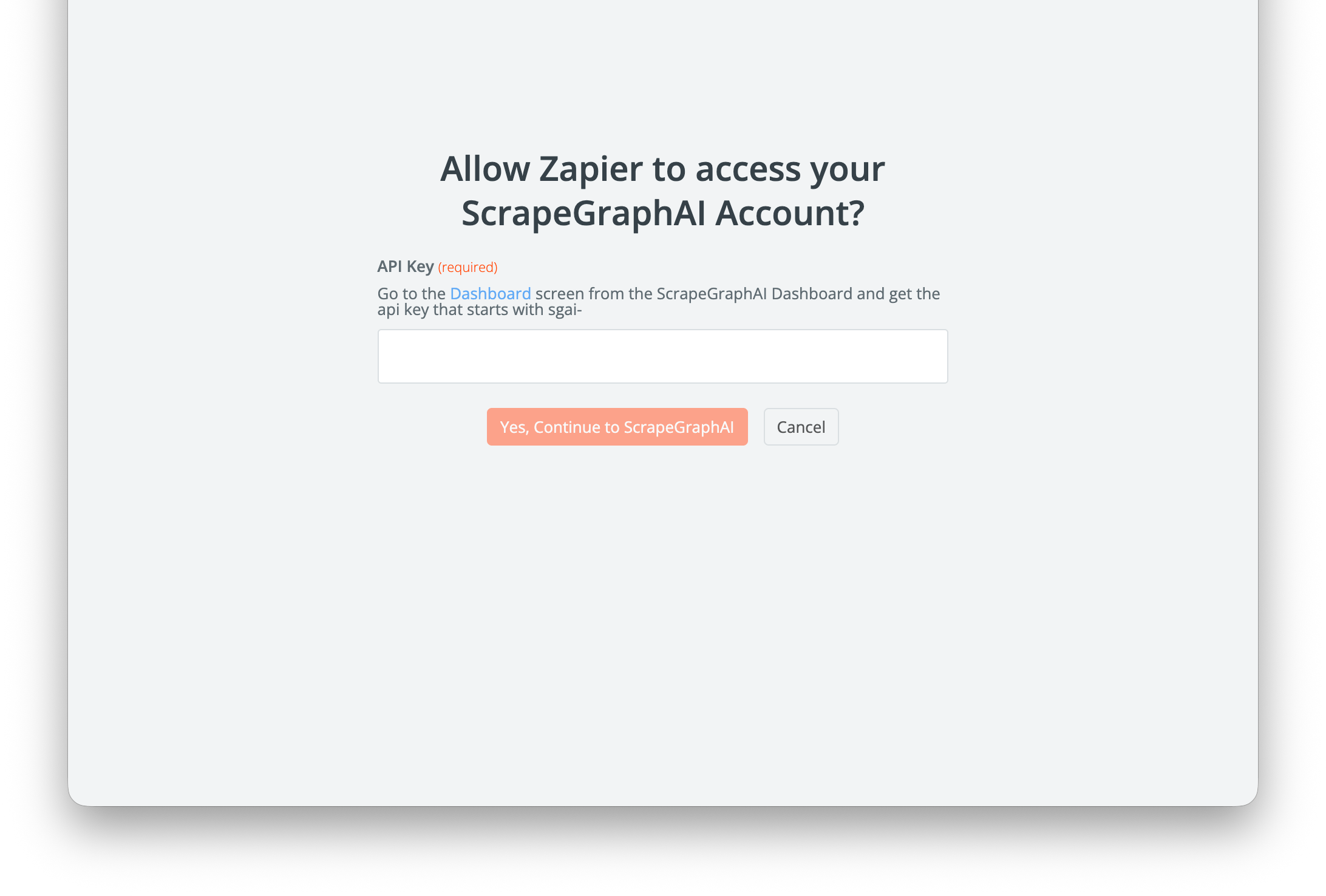 Your API key is stored on Zapier's side and is sent in the `SGAI-APIKEY` header on each call. Rotate it from the [dashboard](https://scrapegraphai.com/dashboard) and update the connection if needed.
## What's in the integration
Your API key is stored on Zapier's side and is sent in the `SGAI-APIKEY` header on each call. Rotate it from the [dashboard](https://scrapegraphai.com/dashboard) and update the connection if needed.
## What's in the integration
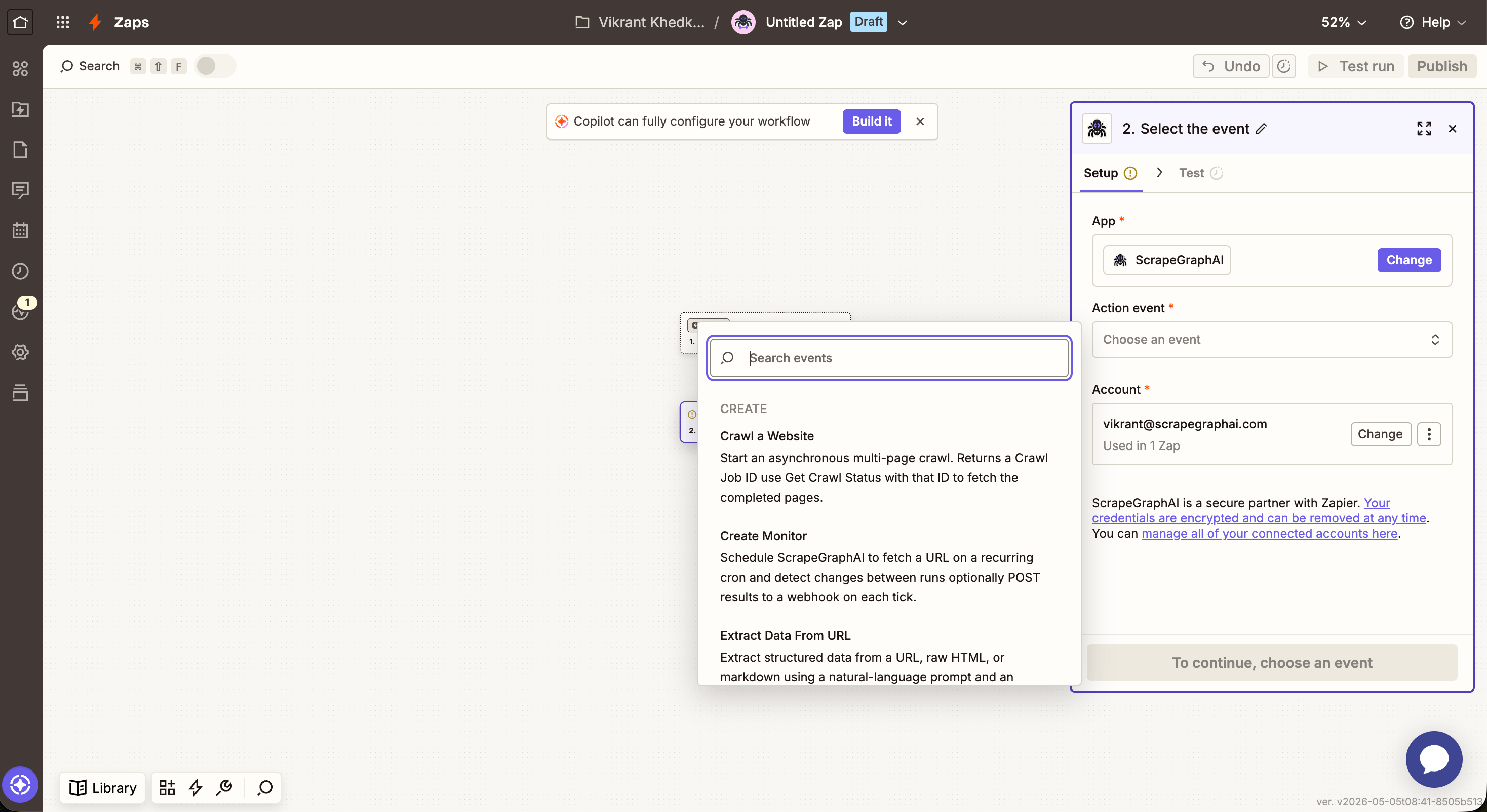 | Action | What it does |
| ------------------------- | -------------------------------------------------------------------------------------- |
| **Scrape a URL** | Fetch a page in markdown or HTML — single round-trip |
| **Extract Data From URL** | Run a natural-language prompt over a URL, raw HTML, or markdown — optional JSON schema |
| **Search Web** | AI web search with inline content; optional rollup prompt across results |
| **Crawl a Website** | Start an async multi-page crawl from an entry URL — returns a job ID |
| **Get Crawl Status** | Poll a crawl job by ID until it returns the `pages` array |
| **Get a Past Result** | Fetch any stored job result by `id` or `scrapeRefId` |
| **Create Monitor** | Schedule a recurring fetch on a cron with diff detection and optional webhook |
| **Get Monitor Activity** | Read recent ticks from a monitor (`changed`, `diffs`, `status`, `createdAt`) |
Zapier action timeouts cap individual steps at 30–60 seconds (depending on your plan). For larger crawls, use **Crawl a Website** to start the job, then a **Delay** + **Get Crawl Status** to poll — same async pattern as n8n.
## Actions
### Scrape a URL
Fetch a page and return its content in a chosen format.
| Action | What it does |
| ------------------------- | -------------------------------------------------------------------------------------- |
| **Scrape a URL** | Fetch a page in markdown or HTML — single round-trip |
| **Extract Data From URL** | Run a natural-language prompt over a URL, raw HTML, or markdown — optional JSON schema |
| **Search Web** | AI web search with inline content; optional rollup prompt across results |
| **Crawl a Website** | Start an async multi-page crawl from an entry URL — returns a job ID |
| **Get Crawl Status** | Poll a crawl job by ID until it returns the `pages` array |
| **Get a Past Result** | Fetch any stored job result by `id` or `scrapeRefId` |
| **Create Monitor** | Schedule a recurring fetch on a cron with diff detection and optional webhook |
| **Get Monitor Activity** | Read recent ticks from a monitor (`changed`, `diffs`, `status`, `createdAt`) |
Zapier action timeouts cap individual steps at 30–60 seconds (depending on your plan). For larger crawls, use **Crawl a Website** to start the job, then a **Delay** + **Get Crawl Status** to poll — same async pattern as n8n.
## Actions
### Scrape a URL
Fetch a page and return its content in a chosen format.
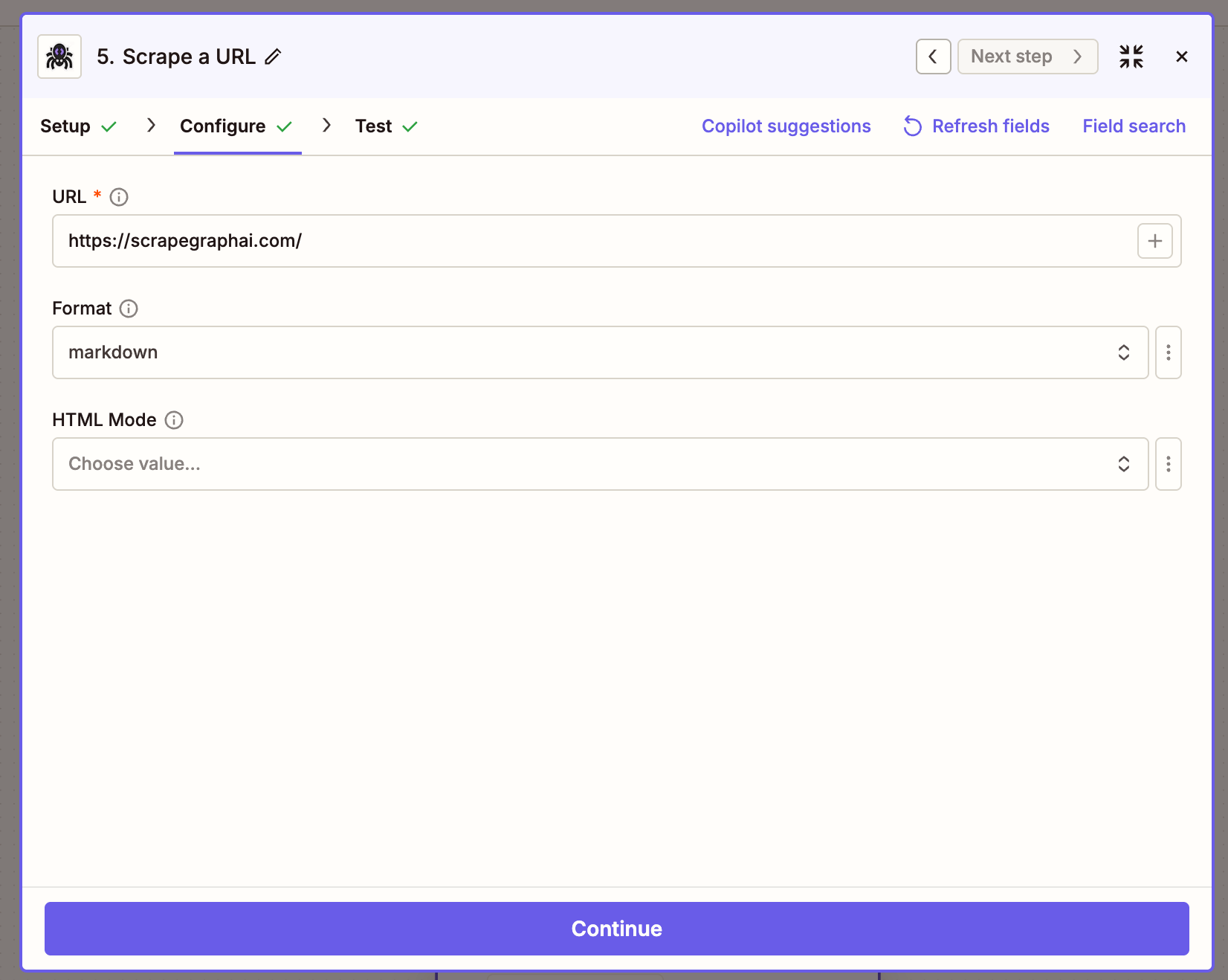 | Field | Description |
| ------ | ----------------------------------------- |
| URL | The page to fetch |
| Format | Output format — Markdown or HTML |
| Mode | Rendering mode — Normal, Reader, or Prune |
***
### Extract Data From URL
Send a URL (or raw HTML / markdown) to ScrapeGraph and get back structured JSON, driven by a natural-language prompt.
| Field | Description |
| ------ | ----------------------------------------- |
| URL | The page to fetch |
| Format | Output format — Markdown or HTML |
| Mode | Rendering mode — Normal, Reader, or Prune |
***
### Extract Data From URL
Send a URL (or raw HTML / markdown) to ScrapeGraph and get back structured JSON, driven by a natural-language prompt.
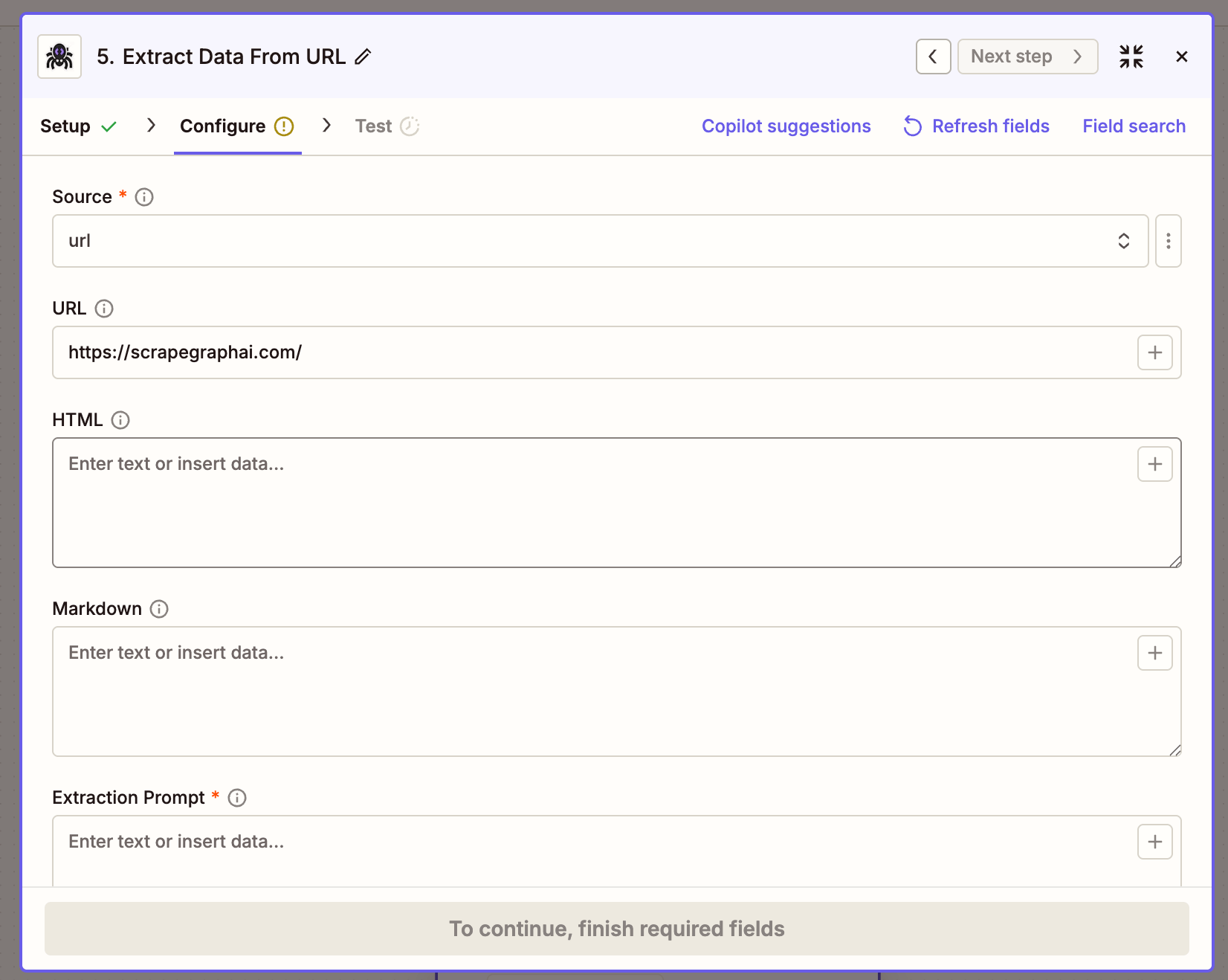 | Field | Description |
| -------- | ------------------------------------------------------------------- |
| Source | `URL`, `HTML`, or `Markdown` — picks which input field is used |
| URL | Page to extract from (when Source = URL) |
| HTML | Raw HTML to extract from (when Source = HTML) |
| Markdown | Markdown to extract from (when Source = Markdown) |
| Prompt | Natural-language instruction, e.g. `Extract product name and price` |
| Schema | Optional JSON schema to enforce output shape |
| Mode | Extraction mode — `Auto`, `Fast`, or `JS` |
***
### Search Web
Run a web search and get the top results back inline, optionally with AI extraction applied across them.
| Field | Description |
| -------- | ------------------------------------------------------------------- |
| Source | `URL`, `HTML`, or `Markdown` — picks which input field is used |
| URL | Page to extract from (when Source = URL) |
| HTML | Raw HTML to extract from (when Source = HTML) |
| Markdown | Markdown to extract from (when Source = Markdown) |
| Prompt | Natural-language instruction, e.g. `Extract product name and price` |
| Schema | Optional JSON schema to enforce output shape |
| Mode | Extraction mode — `Auto`, `Fast`, or `JS` |
***
### Search Web
Run a web search and get the top results back inline, optionally with AI extraction applied across them.
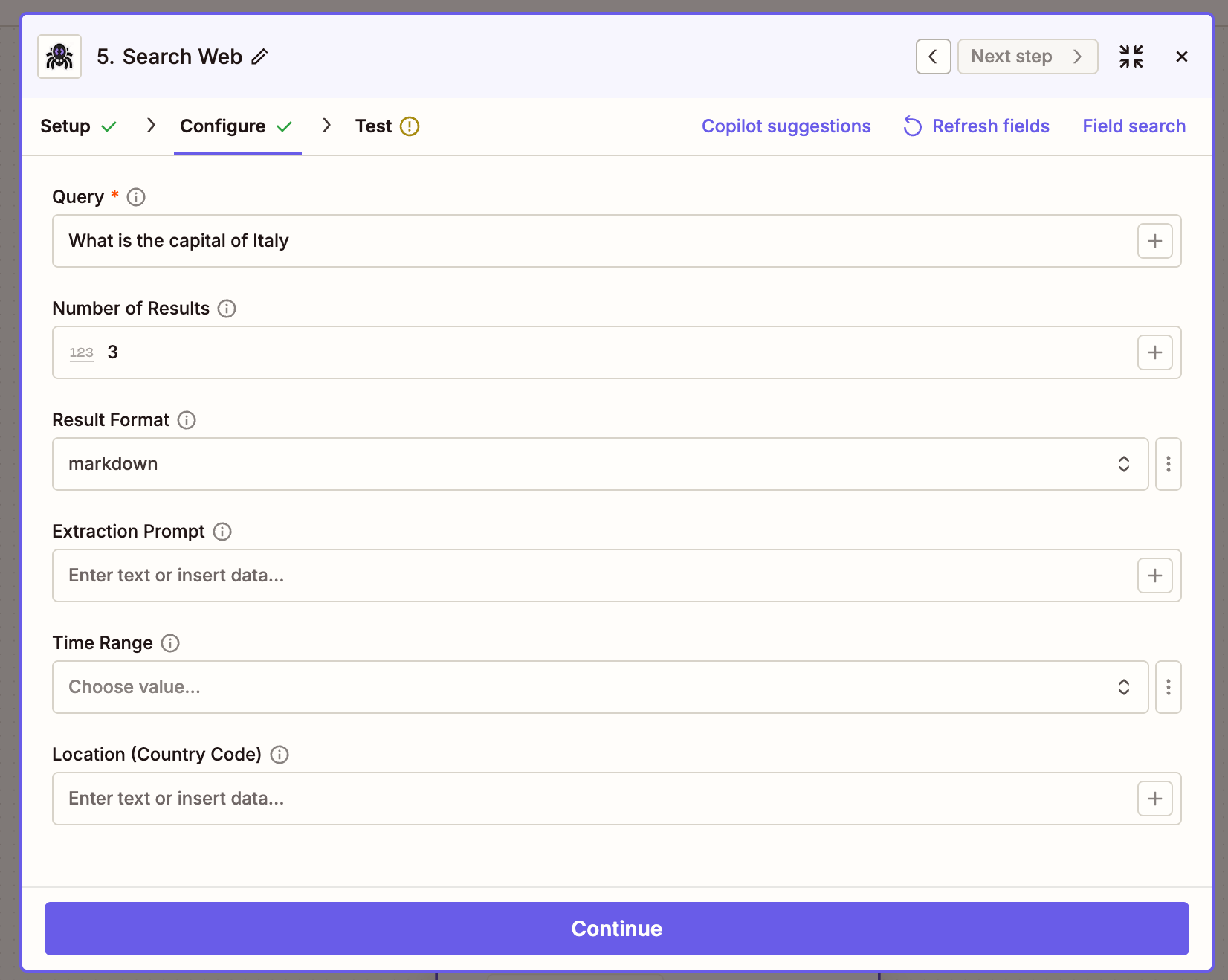 | Field | Description |
| ----------------------- | ------------------------------------------------------------------------------------------------ |
| Query | Search query string |
| Number of Results | 1–20, default 3 |
| Format | Content format for each result (`markdown` / `html`) |
| Prompt | Optional rollup prompt run across all results |
| Time Range | Filter to a recent window (`past_hour`, `past_24_hours`, `past_week`, `past_month`, `past_year`) |
| Location (Country Code) | Two-letter ISO country code for localized results |
***
### Crawl a Website
Start a multi-page crawl from an entry URL. Returns immediately with a job ID — pair with **Get Crawl Status** to retrieve the pages.
| Field | Description |
| ----------------------- | ------------------------------------------------------------------------------------------------ |
| Query | Search query string |
| Number of Results | 1–20, default 3 |
| Format | Content format for each result (`markdown` / `html`) |
| Prompt | Optional rollup prompt run across all results |
| Time Range | Filter to a recent window (`past_hour`, `past_24_hours`, `past_week`, `past_month`, `past_year`) |
| Location (Country Code) | Two-letter ISO country code for localized results |
***
### Crawl a Website
Start a multi-page crawl from an entry URL. Returns immediately with a job ID — pair with **Get Crawl Status** to retrieve the pages.
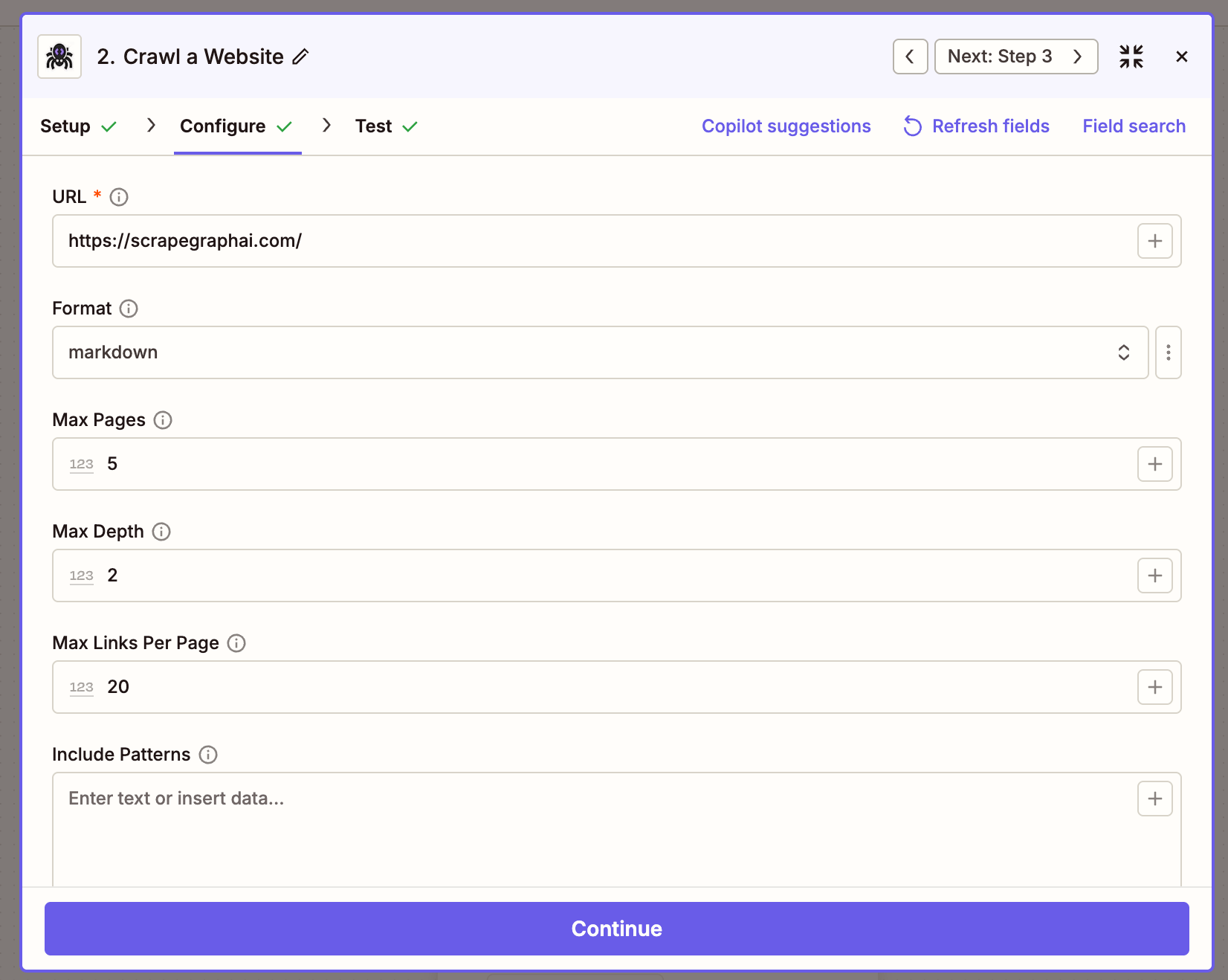 | Field | Description |
| ------------------ | ------------------------------------------------------- |
| URL | Entry point for the crawl |
| Format | Output format per page (`markdown` / `html`) |
| Mode | Rendering mode — Normal, Reader, or Prune |
| Max Pages | Cap on total pages crawled (1–1000) |
| Max Depth | How many link levels deep to traverse |
| Max Links Per Page | Maximum links to follow per page |
| Include Patterns | Newline-separated URL globs to include (e.g. `/blog/*`) |
| Exclude Patterns | Newline-separated URL globs to exclude |
***
### Get Crawl Status
Poll a crawl job until it completes. When `status` is `completed`, the response carries a `pages` array with a `scrapeRefId` per page that you can pass to **Get a Past Result**.
| Field | Description |
| ------------------ | ------------------------------------------------------- |
| URL | Entry point for the crawl |
| Format | Output format per page (`markdown` / `html`) |
| Mode | Rendering mode — Normal, Reader, or Prune |
| Max Pages | Cap on total pages crawled (1–1000) |
| Max Depth | How many link levels deep to traverse |
| Max Links Per Page | Maximum links to follow per page |
| Include Patterns | Newline-separated URL globs to include (e.g. `/blog/*`) |
| Exclude Patterns | Newline-separated URL globs to exclude |
***
### Get Crawl Status
Poll a crawl job until it completes. When `status` is `completed`, the response carries a `pages` array with a `scrapeRefId` per page that you can pass to **Get a Past Result**.
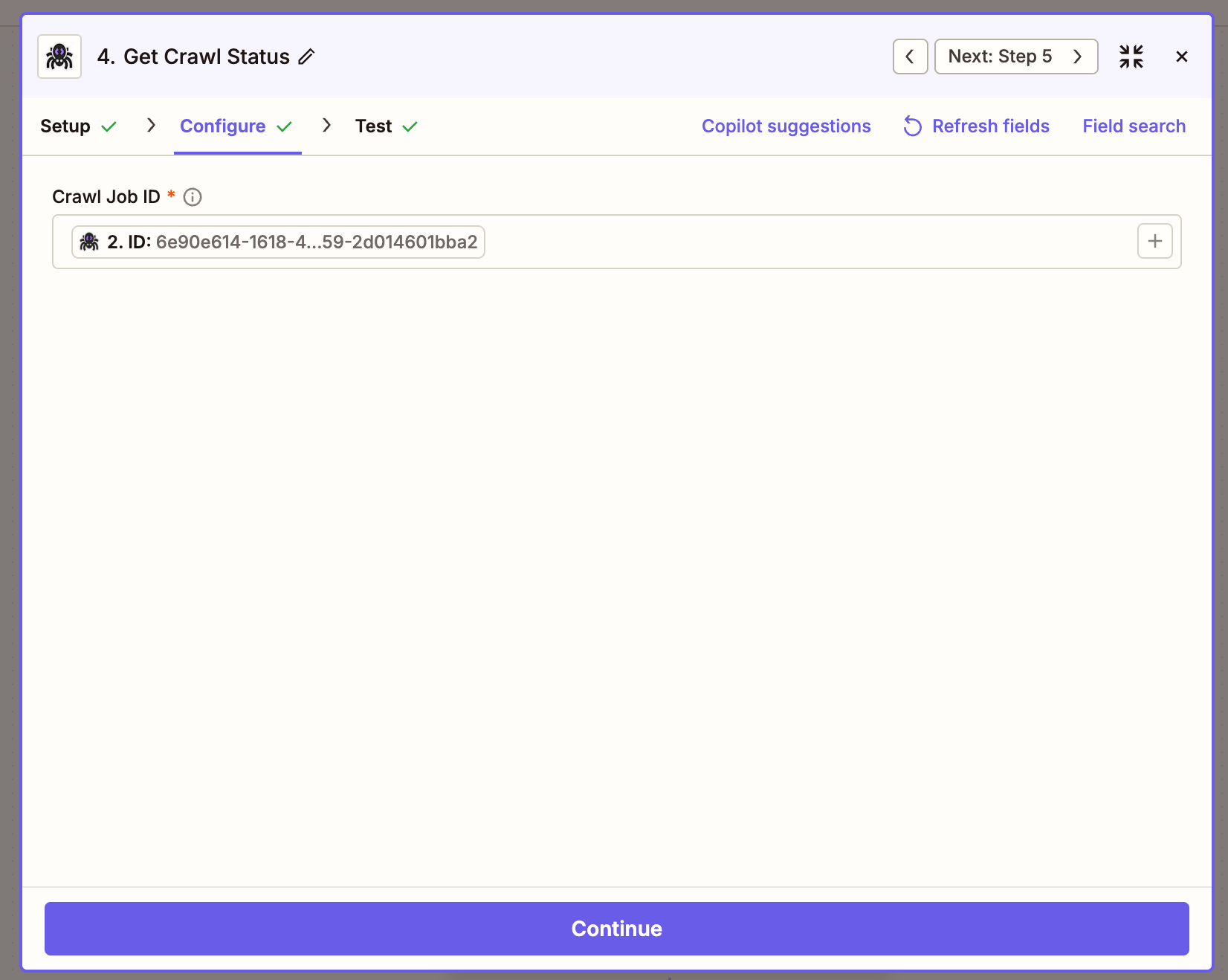 | Field | Description |
| -------- | ---------------------------------------------------------------------------- |
| Crawl ID | The `id` returned by Crawl a Website — usually mapped from the previous step |
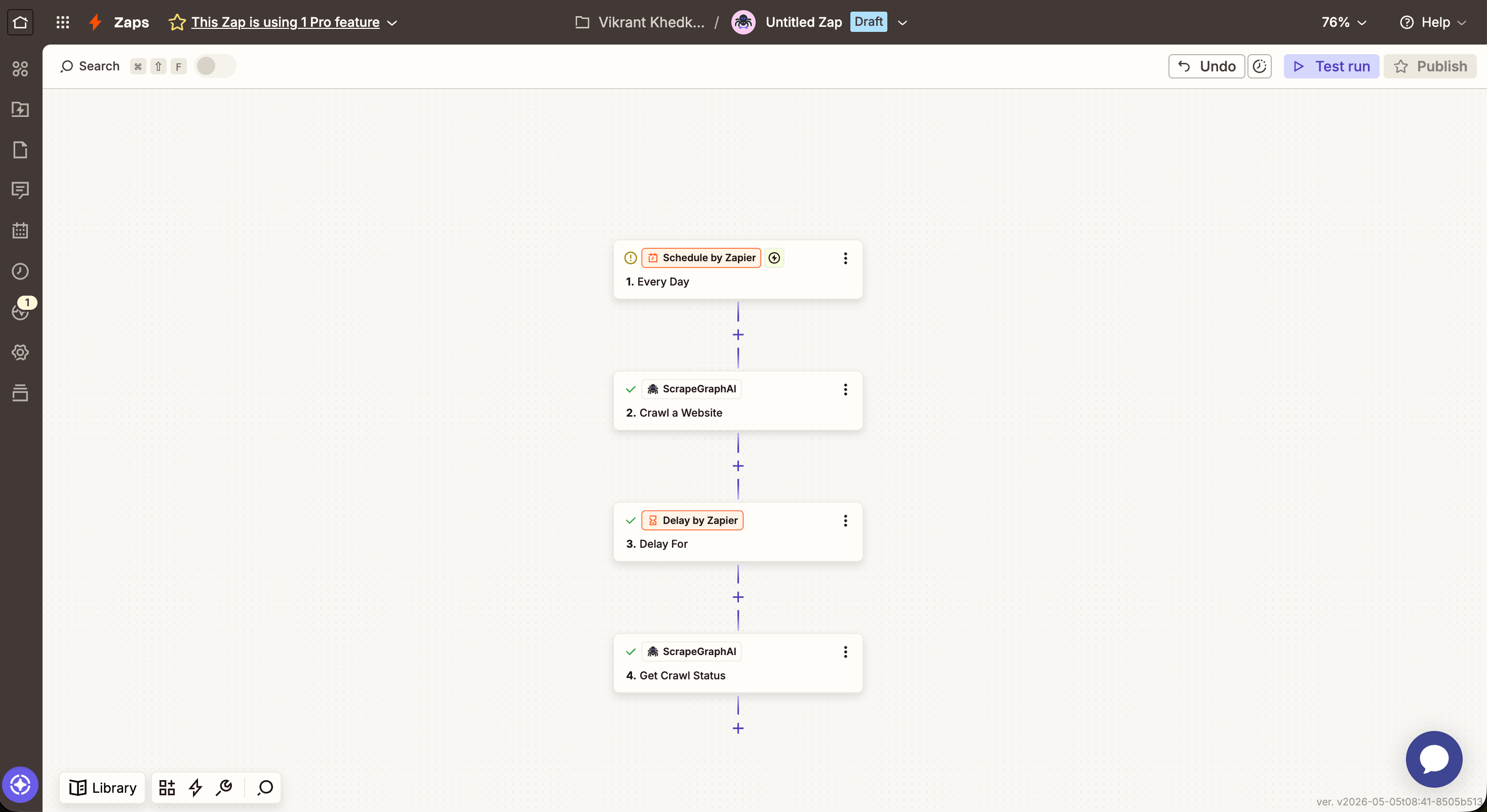
The async pattern looks like this on the canvas — kick off the crawl, wait, then poll:
| Field | Description |
| -------- | ---------------------------------------------------------------------------- |
| Crawl ID | The `id` returned by Crawl a Website — usually mapped from the previous step |
The async pattern looks like this on the canvas — kick off the crawl, wait, then poll:
 ***
### Get a Past Result
Fetch a stored job result by its ID. Most useful for retrieving the full content of a crawled page using the `scrapeRefId` from **Get Crawl Status**.
***
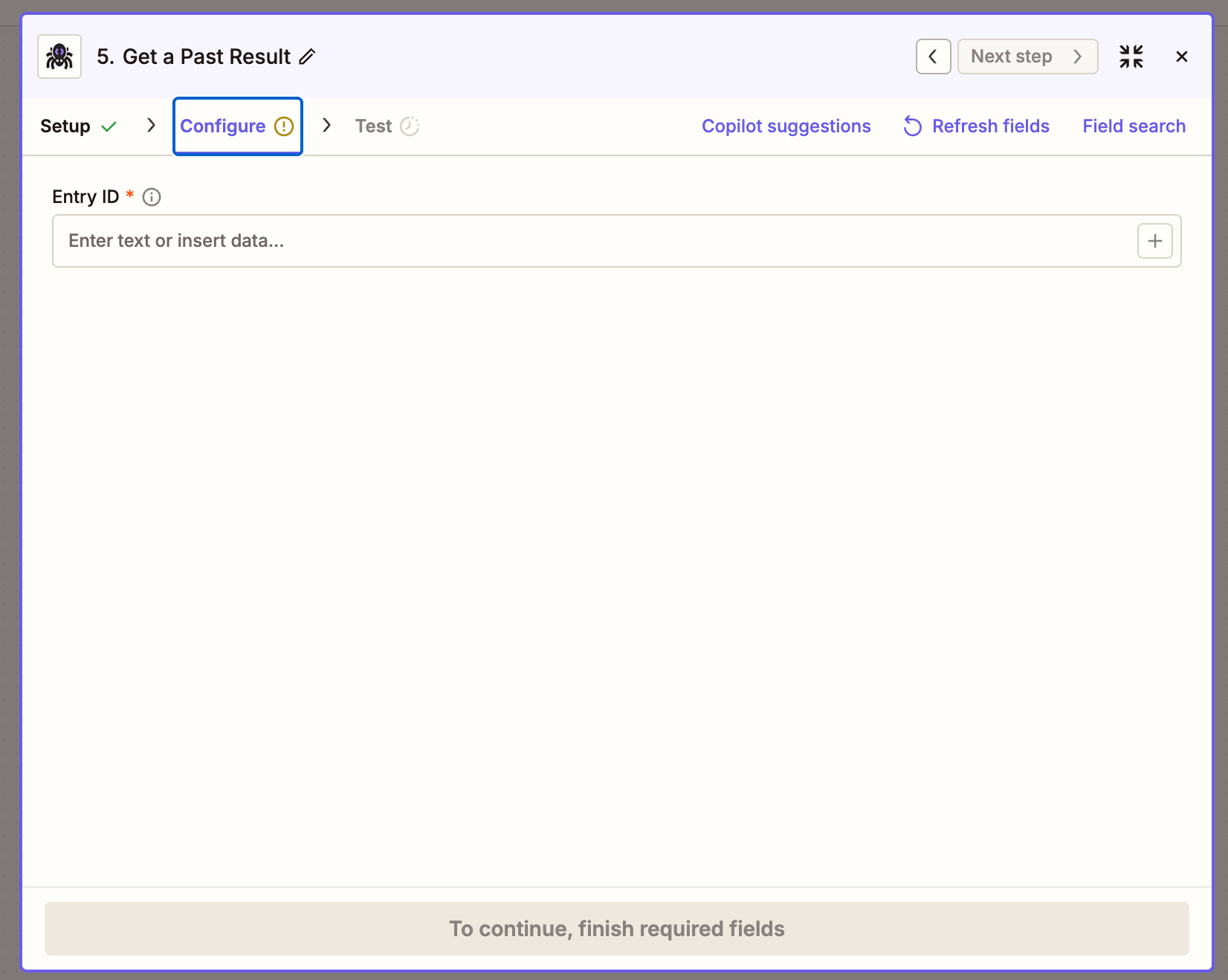
### Get a Past Result
Fetch a stored job result by its ID. Most useful for retrieving the full content of a crawled page using the `scrapeRefId` from **Get Crawl Status**.
 | Field | Description |
| -------- | ------------------------- |
| Entry ID | A job ID or `scrapeRefId` |
***
### Create Monitor
Schedule ScrapeGraph to fetch a URL on a recurring cron and detect changes between runs.
| Field | Description |
| -------- | ------------------------- |
| Entry ID | A job ID or `scrapeRefId` |
***
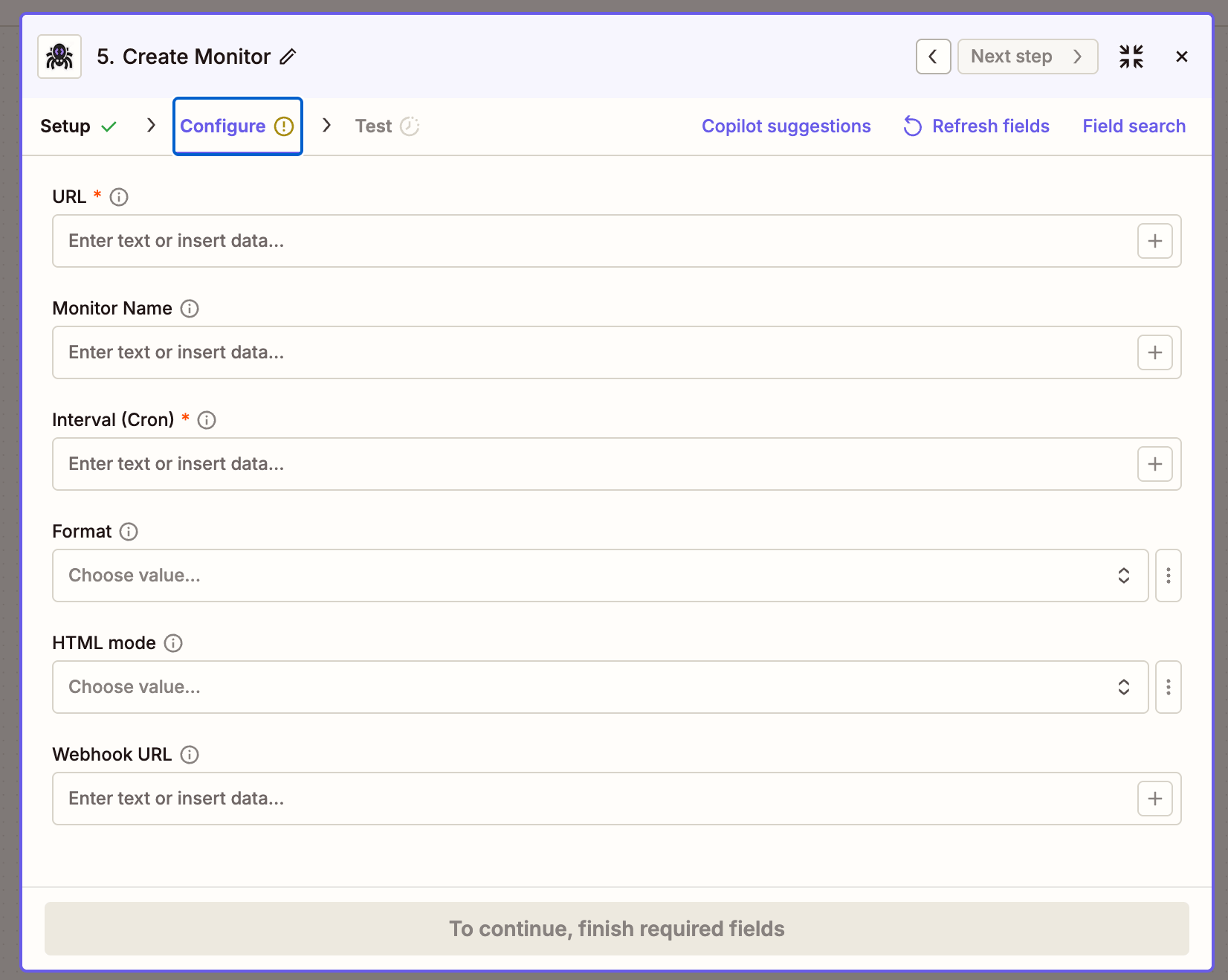
### Create Monitor
Schedule ScrapeGraph to fetch a URL on a recurring cron and detect changes between runs.
 | Field | Description |
| --------------- | -------------------------------------------------------------------------------- |
| URL | Page to watch |
| Monitor Name | Optional display name |
| Interval (Cron) | 5-field cron expression — see table below |
| Format | Content format captured on each tick (`markdown` / `html` / `links` / `summary`) |
| HTML Mode | Rendering mode — Normal, Reader, or Prune |
| Webhook URL | Optional URL to POST tick payloads to |
**Common cron expressions**
| Schedule | Cron |
| ------------------ | ------------- |
| Every hour | `0 * * * *` |
| Every 6 hours | `0 */6 * * *` |
| Daily at 09:00 UTC | `0 9 * * *` |
| Weekly on Monday | `0 9 * * 1` |
***
### Get Monitor Activity
Fetch the latest activity ticks from an existing monitor.
| Field | Description |
| --------------- | -------------------------------------------------------------------------------- |
| URL | Page to watch |
| Monitor Name | Optional display name |
| Interval (Cron) | 5-field cron expression — see table below |
| Format | Content format captured on each tick (`markdown` / `html` / `links` / `summary`) |
| HTML Mode | Rendering mode — Normal, Reader, or Prune |
| Webhook URL | Optional URL to POST tick payloads to |
**Common cron expressions**
| Schedule | Cron |
| ------------------ | ------------- |
| Every hour | `0 * * * *` |
| Every 6 hours | `0 */6 * * *` |
| Daily at 09:00 UTC | `0 9 * * *` |
| Weekly on Monday | `0 9 * * 1` |
***
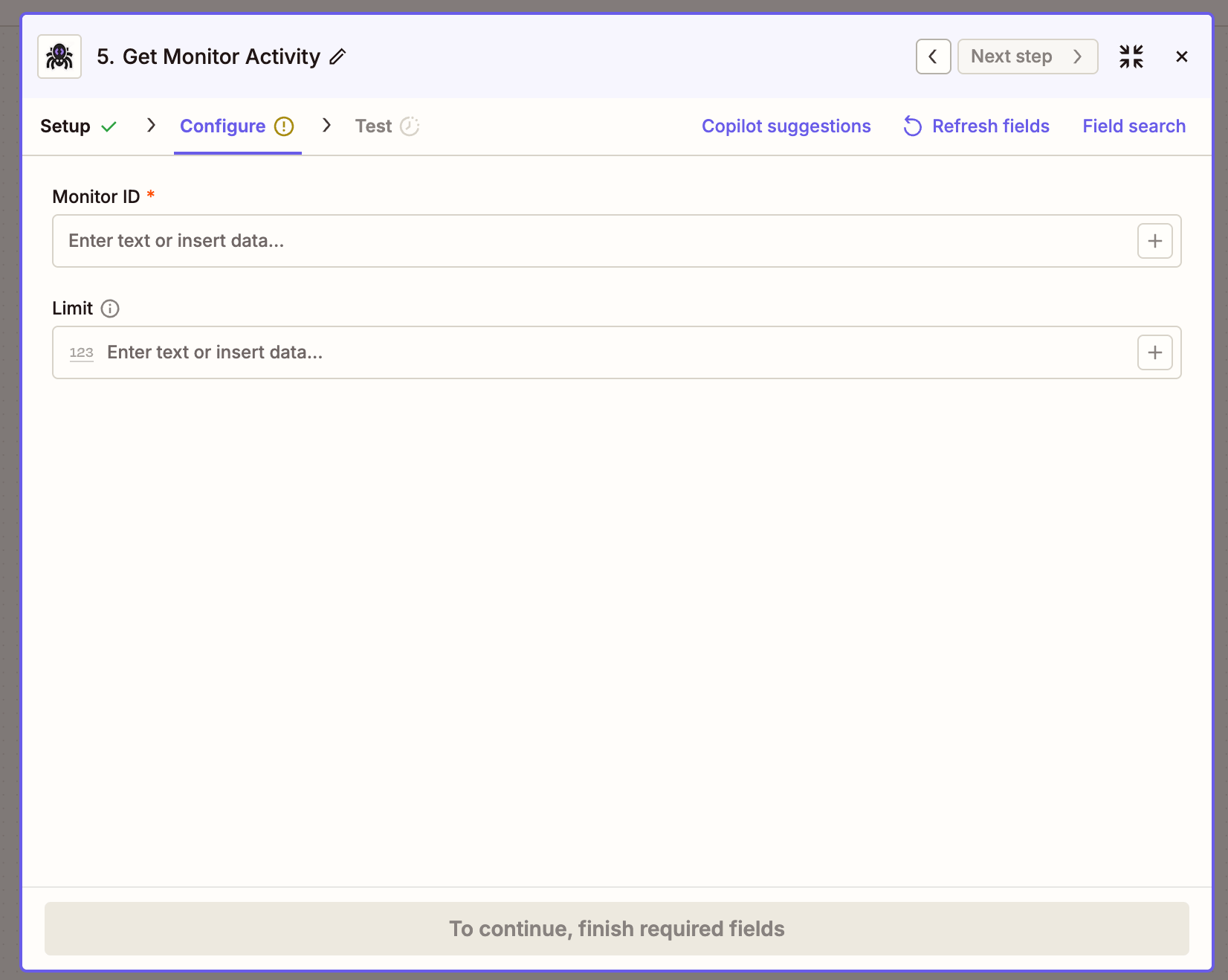
### Get Monitor Activity
Fetch the latest activity ticks from an existing monitor.
 | Field | Description |
| ---------- | --------------------------------------------- |
| Monitor ID | The `id` returned by Create Monitor |
| Limit | Number of ticks to return (1–100, default 20) |
Returns a `ticks` array where each entry has `changed` (boolean), `diffs`, `status`, and `createdAt`.
## Example Zap: extract product data into Google Sheets
A daily Zap that pulls product data from a listing page and appends each product as a row in Google Sheets.
1. **Trigger** — `Schedule by Zapier` → Every day.
2. **Action 1** — `ScrapeGraphAI → Extract Data From URL`:
* **Source:** `URL`
* **URL:** the product listing page
* **Prompt:** `Extract all products on the page with their name, price, rating, and number of reviews`
* **Schema:**
```json theme={null}
{
"type": "object",
"properties": {
"products": {
"type": "array",
"items": {
"type": "object",
"properties": {
"name": {"type": "string"},
"price": {"type": "string"},
"rating": {"type": "number"},
"reviews": {"type": "number"}
}
}
}
}
}
```
3. **Action 2** — `Looping by Zapier → Loop From Line Items`, fed from the previous step's `products` array. Zapier runs the next action once per item.
4. **Action 3** — `Google Sheets → Create Spreadsheet Row`:
* **Name** → `{{loop.name}}`
* **Price** → `{{loop.price}}`
* **Rating** → `{{loop.rating}}`
* **Reviews** → `{{loop.reviews}}`
Result: every product on the page gets its own row.
## Patterns that carry over
| Pattern | Action(s) | Notes |
| ------------------------- | ------------------------------------------------------ | ---------------------------------------------------------------------------------- |
| One-shot fetch | Scrape a URL | Cheapest path — markdown by default |
| Structured extraction | Extract Data From URL | JSON schema is optional but locks the shape |
| Multi-page archive | Crawl a Website + Get Crawl Status + Get a Past Result | Loop over `pages` from Get Crawl Status, feed `scrapeRefId` into Get a Past Result |
| Recurring fetch with diff | Create Monitor + Get Monitor Activity | Or wire `webhookUrl` to a Zapier Webhook trigger for instant deltas |
| AI search rollup | Search Web with Prompt | Single call replaces "search → scrape each → summarize" |
## Troubleshooting
* **Action times out on Crawl a Website** — large crawls run longer than Zapier's per-action limit. Keep Crawl a Website as the start step, then add a **Delay** + **Get Crawl Status** to poll until `status` is `completed`.
* **Extract returns an empty `json`** — sharpen the prompt, or pin the shape with a JSON Schema. Pages that need rendering may need `Mode: JS`.
* **Connection test fails** — confirm the API key is from the v2 dashboard (`scrapegraphai.com/dashboard`). v1 keys won't validate against the v2 API.
* **Get Past Result returns stale data** — `scrapeRefId` always points to the latest stored result for that pointer. Trigger a fresh crawl to refresh.
## Resources
Marketplace listing and Zap templates
Full v2 endpoint reference — every parameter the actions send
Get an API key and check usage
How Zaps, triggers, actions, and Looping work
| Field | Description |
| ---------- | --------------------------------------------- |
| Monitor ID | The `id` returned by Create Monitor |
| Limit | Number of ticks to return (1–100, default 20) |
Returns a `ticks` array where each entry has `changed` (boolean), `diffs`, `status`, and `createdAt`.
## Example Zap: extract product data into Google Sheets
A daily Zap that pulls product data from a listing page and appends each product as a row in Google Sheets.
1. **Trigger** — `Schedule by Zapier` → Every day.
2. **Action 1** — `ScrapeGraphAI → Extract Data From URL`:
* **Source:** `URL`
* **URL:** the product listing page
* **Prompt:** `Extract all products on the page with their name, price, rating, and number of reviews`
* **Schema:**
```json theme={null}
{
"type": "object",
"properties": {
"products": {
"type": "array",
"items": {
"type": "object",
"properties": {
"name": {"type": "string"},
"price": {"type": "string"},
"rating": {"type": "number"},
"reviews": {"type": "number"}
}
}
}
}
}
```
3. **Action 2** — `Looping by Zapier → Loop From Line Items`, fed from the previous step's `products` array. Zapier runs the next action once per item.
4. **Action 3** — `Google Sheets → Create Spreadsheet Row`:
* **Name** → `{{loop.name}}`
* **Price** → `{{loop.price}}`
* **Rating** → `{{loop.rating}}`
* **Reviews** → `{{loop.reviews}}`
Result: every product on the page gets its own row.
## Patterns that carry over
| Pattern | Action(s) | Notes |
| ------------------------- | ------------------------------------------------------ | ---------------------------------------------------------------------------------- |
| One-shot fetch | Scrape a URL | Cheapest path — markdown by default |
| Structured extraction | Extract Data From URL | JSON schema is optional but locks the shape |
| Multi-page archive | Crawl a Website + Get Crawl Status + Get a Past Result | Loop over `pages` from Get Crawl Status, feed `scrapeRefId` into Get a Past Result |
| Recurring fetch with diff | Create Monitor + Get Monitor Activity | Or wire `webhookUrl` to a Zapier Webhook trigger for instant deltas |
| AI search rollup | Search Web with Prompt | Single call replaces "search → scrape each → summarize" |
## Troubleshooting
* **Action times out on Crawl a Website** — large crawls run longer than Zapier's per-action limit. Keep Crawl a Website as the start step, then add a **Delay** + **Get Crawl Status** to poll until `status` is `completed`.
* **Extract returns an empty `json`** — sharpen the prompt, or pin the shape with a JSON Schema. Pages that need rendering may need `Mode: JS`.
* **Connection test fails** — confirm the API key is from the v2 dashboard (`scrapegraphai.com/dashboard`). v1 keys won't validate against the v2 API.
* **Get Past Result returns stale data** — `scrapeRefId` always points to the latest stored result for that pointer. Trigger a fresh crawl to refresh.
## Resources
Marketplace listing and Zap templates
Full v2 endpoint reference — every parameter the actions send
Get an API key and check usage
How Zaps, triggers, actions, and Looping work