> ## Documentation Index
> Fetch the complete documentation index at: https://docs.scrapegraphai.com/llms.txt
> Use this file to discover all available pages before exploring further.
# Pagination
> Extract data from multiple pages with SmartScraper pagination
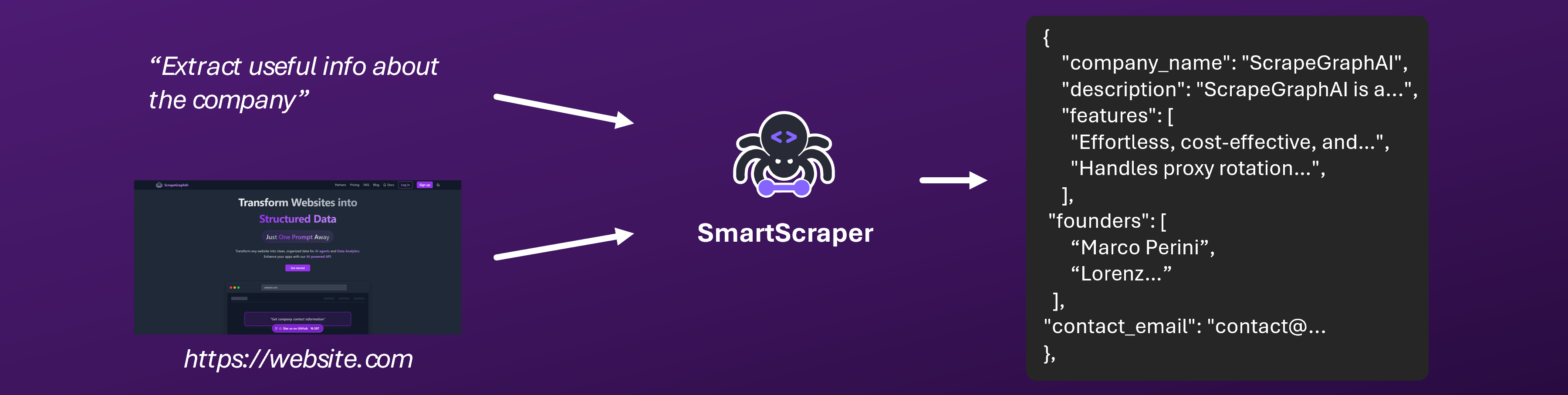 ## Overview
SmartScraper supports pagination functionality to extract data from multiple pages of a website. This is particularly useful for:
* E-commerce product listings
* News article collections
* Job listing aggregations
* Any content spread across multiple pages
## Pagination Parameters
### Core Parameters
| Parameter | Type | Required | Default | Range | Description |
| ------------------- | ------- | -------- | ------- | ----- | ------------------------------------ |
| `total_pages` | integer | No | 1 | 1-10 | Number of pages to scrape |
| `number_of_scrolls` | integer | No | 0 | 0-10 | Number of scrolls per page |
| `wait_for` | integer | No | 0 | 0-30 | Wait time in seconds between actions |
### Advanced Parameters
| Parameter | Type | Required | Default | Description |
| -------------------- | ------- | -------- | ------- | ------------------------------------- |
| `pagination_delay` | integer | No | 2 | Delay between page requests (seconds) |
| `scroll_delay` | integer | No | 1 | Delay between scrolls (seconds) |
| `max_items_per_page` | integer | No | 100 | Maximum items to extract per page |
## Basic Usage
### Python SDK
```python theme={null}
from scrapegraph_py import Client
from pydantic import BaseModel
from typing import List
class Product(BaseModel):
name: str
price: str
rating: str
class ProductList(BaseModel):
products: List[Product]
client = Client(api_key="your-api-key")
# Basic pagination - scrape 3 pages
response = client.smartscraper(
website_url="https://example-store.com/products",
user_prompt="Extract all product information",
output_schema=ProductList,
total_pages=3
)
```
### JavaScript SDK
```javascript theme={null}
import { extract } from 'scrapegraph-js';
// Basic extraction
const result = await extract('your-api-key', {
url: 'https://example-store.com/products',
prompt: 'Extract all product information',
});
```
## Advanced Pagination Examples
### E-commerce Product Scraping
```python theme={null}
from scrapegraph_py import Client
from pydantic import BaseModel, Field
from typing import List, Optional
class Product(BaseModel):
name: str = Field(description="Product name")
price: str = Field(description="Product price")
rating: Optional[str] = Field(description="Customer rating")
image_url: Optional[str] = Field(description="Product image URL")
availability: Optional[str] = Field(description="Product availability status")
class ProductCatalog(BaseModel):
products: List[Product] = Field(description="List of products")
client = Client(api_key="your-api-key")
# Scrape 5 pages with scrolling and delays
response = client.smartscraper(
website_url="https://amazon.com/s?k=laptops",
user_prompt="Extract all laptop products with their details",
output_schema=ProductCatalog,
total_pages=5,
number_of_scrolls=3,
wait_for=2
)
```
### News Article Collection
```python theme={null}
class Article(BaseModel):
title: str = Field(description="Article title")
summary: str = Field(description="Article summary")
author: str = Field(description="Author name")
publish_date: str = Field(description="Publication date")
url: str = Field(description="Article URL")
class NewsFeed(BaseModel):
articles: List[Article] = Field(description="List of articles")
# Collect articles from multiple news pages
response = client.smartscraper(
website_url="https://techcrunch.com/category/artificial-intelligence/",
user_prompt="Extract all AI-related articles with their details",
output_schema=NewsFeed,
total_pages=4,
number_of_scrolls=2
)
```
### Job Listing Aggregation
```python theme={null}
class JobListing(BaseModel):
title: str = Field(description="Job title")
company: str = Field(description="Company name")
location: str = Field(description="Job location")
salary: Optional[str] = Field(description="Salary information")
requirements: List[str] = Field(description="Job requirements")
class JobBoard(BaseModel):
jobs: List[JobListing] = Field(description="List of job listings")
# Gather job listings from multiple pages
response = client.smartscraper(
website_url="https://linkedin.com/jobs/search?keywords=python",
user_prompt="Extract all Python developer job listings",
output_schema=JobBoard,
total_pages=3,
number_of_scrolls=5
)
```
## Pagination Strategies
### 1. Sequential Pagination
For websites with traditional page-based navigation:
```python theme={null}
# Traditional pagination (page=1, page=2, etc.)
response = client.smartscraper(
website_url="https://example.com/products?page=1",
user_prompt="Extract products from this page",
total_pages=5
)
```
### 2. Infinite Scroll Pagination
For websites with infinite scroll or "Load More" buttons:
```python theme={null}
# Infinite scroll pagination
response = client.smartscraper(
website_url="https://example.com/feed",
user_prompt="Extract all posts from the feed",
total_pages=1, # Single page
number_of_scrolls=10 # Multiple scrolls to load more content
)
```
### 3. Hybrid Approach
Combine both strategies for complex websites:
```python theme={null}
# Hybrid: multiple pages with scrolling on each
response = client.smartscraper(
website_url="https://example.com/category/electronics",
user_prompt="Extract all electronic products",
total_pages=3, # 3 category pages
number_of_scrolls=5 # 5 scrolls per page
)
```
## Best Practices
### 1. Start Small and Scale Up
```python theme={null}
# Start with 1-2 pages for testing
response = client.smartscraper(
website_url="https://example.com",
user_prompt="Extract basic information",
total_pages=1 # Start small
)
# Then scale up based on results
response = client.smartscraper(
website_url="https://example.com",
user_prompt="Extract comprehensive data",
total_pages=5 # Scale up
)
```
### 2. Optimize Prompts for Pagination
```python theme={null}
# Good: Specific about pagination context
user_prompt = """
Extract all product information from this page and any subsequent pages.
Include: name, price, rating, availability, and image URL.
Ensure you capture all products across multiple pages.
"""
# Better: Include pagination instructions
user_prompt = """
Extract product information from this e-commerce page.
For each product, get: name, price, rating, availability, image URL.
This is page 1 of a multi-page product listing.
Look for pagination controls and extract data from all visible pages.
"""
```
### 3. Handle Rate Limiting
```python theme={null}
import time
# Implement delays between requests
for page in range(1, 6):
response = client.smartscraper(
website_url=f"https://example.com/products?page={page}",
user_prompt="Extract products",
total_pages=1, # One page at a time
wait_for=3 # Wait 3 seconds
)
# Additional delay between requests
time.sleep(2)
```
### 4. Error Handling and Retries
```python theme={null}
import time
from scrapegraph_py.exceptions import APIError
def scrape_with_retry(client, url, prompt, max_retries=3):
for attempt in range(max_retries):
try:
response = client.smartscraper(
website_url=url,
user_prompt=prompt,
total_pages=3
)
return response
except APIError as e:
if attempt < max_retries - 1:
print(f"Attempt {attempt + 1} failed: {e}")
time.sleep(2 ** attempt) # Exponential backoff
else:
raise e
```
## Common Use Cases
### E-commerce Scraping
```python theme={null}
# Amazon product scraping
response = client.smartscraper(
website_url="https://amazon.com/s?k=smartphones",
user_prompt="""
Extract all smartphone products from this search results page.
For each product include: name, price, rating, reviews count,
availability, and prime eligibility.
""",
output_schema=ProductCatalog,
total_pages=5,
number_of_scrolls=3
)
```
### Social Media Monitoring
```python theme={null}
# Twitter/X feed scraping
response = client.smartscraper(
website_url="https://twitter.com/search?q=AI",
user_prompt="""
Extract all tweets from this search results page.
For each tweet include: author, content, timestamp,
likes, retweets, and replies count.
""",
total_pages=1,
number_of_scrolls=15 # More scrolls for social media
)
```
### News Aggregation
```python theme={null}
# News website scraping
response = client.smartscraper(
website_url="https://reuters.com/technology",
user_prompt="""
Extract all technology news articles from this page.
For each article include: headline, summary, author,
publication date, and category.
""",
output_schema=NewsFeed,
total_pages=4
)
```
## Troubleshooting
### Common Issues
**Problem**: Data is only extracted from the first page.
**Solutions**:
* Verify the website supports pagination
* Check if `total_pages` parameter is set correctly
* Ensure the URL includes proper pagination parameters
* Try increasing `number_of_scrolls` for infinite scroll sites
**Problem**: Requests are being rate limited.
**Solutions**:
* Reduce `total_pages` value
* Increase `wait_for` and `pagination_delay`
* Implement exponential backoff
* Use async clients for better performance
**Problem**: Not all expected data is extracted.
**Solutions**:
* Increase `number_of_scrolls` for dynamic content
* Add `wait_for` parameter for slow-loading pages
* Refine your user prompt for better extraction
* Check if the website requires authentication
**Problem**: Getting API errors during pagination.
**Solutions**:
* Verify your API key is valid
* Check your API usage limits
* Ensure the website URL is accessible
* Review error messages for specific issues
## Performance Optimization
### Async Processing
```python theme={null}
import asyncio
from scrapegraph_py import AsyncClient
async def scrape_multiple_sites():
client = AsyncClient(api_key="your-api-key")
urls = [
"https://site1.com/products",
"https://site2.com/products",
"https://site3.com/products"
]
tasks = []
for url in urls:
task = client.smartscraper(
website_url=url,
user_prompt="Extract products",
total_pages=3
)
tasks.append(task)
results = await asyncio.gather(*tasks)
return results
```
### Batch Processing
```python theme={null}
def process_in_batches(urls, batch_size=3):
results = []
for i in range(0, len(urls), batch_size):
batch = urls[i:i + batch_size]
# Process batch
batch_results = []
for url in batch:
response = client.smartscraper(
website_url=url,
user_prompt="Extract data",
total_pages=2
)
batch_results.append(response)
results.extend(batch_results)
# Delay between batches
time.sleep(5)
return results
```
## API Reference
For detailed API documentation, see:
* [SmartScraper Start Job](/api-reference/endpoint/smartscraper/start)
* [SmartScraper Get Status](/api-reference/endpoint/smartscraper/get-status)
## Support & Resources
Complete pagination examples with code
Detailed API documentation
Join our Discord community
Check out our open-source projects
Contact our support team for assistance with pagination or any other questions!
## Overview
SmartScraper supports pagination functionality to extract data from multiple pages of a website. This is particularly useful for:
* E-commerce product listings
* News article collections
* Job listing aggregations
* Any content spread across multiple pages
## Pagination Parameters
### Core Parameters
| Parameter | Type | Required | Default | Range | Description |
| ------------------- | ------- | -------- | ------- | ----- | ------------------------------------ |
| `total_pages` | integer | No | 1 | 1-10 | Number of pages to scrape |
| `number_of_scrolls` | integer | No | 0 | 0-10 | Number of scrolls per page |
| `wait_for` | integer | No | 0 | 0-30 | Wait time in seconds between actions |
### Advanced Parameters
| Parameter | Type | Required | Default | Description |
| -------------------- | ------- | -------- | ------- | ------------------------------------- |
| `pagination_delay` | integer | No | 2 | Delay between page requests (seconds) |
| `scroll_delay` | integer | No | 1 | Delay between scrolls (seconds) |
| `max_items_per_page` | integer | No | 100 | Maximum items to extract per page |
## Basic Usage
### Python SDK
```python theme={null}
from scrapegraph_py import Client
from pydantic import BaseModel
from typing import List
class Product(BaseModel):
name: str
price: str
rating: str
class ProductList(BaseModel):
products: List[Product]
client = Client(api_key="your-api-key")
# Basic pagination - scrape 3 pages
response = client.smartscraper(
website_url="https://example-store.com/products",
user_prompt="Extract all product information",
output_schema=ProductList,
total_pages=3
)
```
### JavaScript SDK
```javascript theme={null}
import { extract } from 'scrapegraph-js';
// Basic extraction
const result = await extract('your-api-key', {
url: 'https://example-store.com/products',
prompt: 'Extract all product information',
});
```
## Advanced Pagination Examples
### E-commerce Product Scraping
```python theme={null}
from scrapegraph_py import Client
from pydantic import BaseModel, Field
from typing import List, Optional
class Product(BaseModel):
name: str = Field(description="Product name")
price: str = Field(description="Product price")
rating: Optional[str] = Field(description="Customer rating")
image_url: Optional[str] = Field(description="Product image URL")
availability: Optional[str] = Field(description="Product availability status")
class ProductCatalog(BaseModel):
products: List[Product] = Field(description="List of products")
client = Client(api_key="your-api-key")
# Scrape 5 pages with scrolling and delays
response = client.smartscraper(
website_url="https://amazon.com/s?k=laptops",
user_prompt="Extract all laptop products with their details",
output_schema=ProductCatalog,
total_pages=5,
number_of_scrolls=3,
wait_for=2
)
```
### News Article Collection
```python theme={null}
class Article(BaseModel):
title: str = Field(description="Article title")
summary: str = Field(description="Article summary")
author: str = Field(description="Author name")
publish_date: str = Field(description="Publication date")
url: str = Field(description="Article URL")
class NewsFeed(BaseModel):
articles: List[Article] = Field(description="List of articles")
# Collect articles from multiple news pages
response = client.smartscraper(
website_url="https://techcrunch.com/category/artificial-intelligence/",
user_prompt="Extract all AI-related articles with their details",
output_schema=NewsFeed,
total_pages=4,
number_of_scrolls=2
)
```
### Job Listing Aggregation
```python theme={null}
class JobListing(BaseModel):
title: str = Field(description="Job title")
company: str = Field(description="Company name")
location: str = Field(description="Job location")
salary: Optional[str] = Field(description="Salary information")
requirements: List[str] = Field(description="Job requirements")
class JobBoard(BaseModel):
jobs: List[JobListing] = Field(description="List of job listings")
# Gather job listings from multiple pages
response = client.smartscraper(
website_url="https://linkedin.com/jobs/search?keywords=python",
user_prompt="Extract all Python developer job listings",
output_schema=JobBoard,
total_pages=3,
number_of_scrolls=5
)
```
## Pagination Strategies
### 1. Sequential Pagination
For websites with traditional page-based navigation:
```python theme={null}
# Traditional pagination (page=1, page=2, etc.)
response = client.smartscraper(
website_url="https://example.com/products?page=1",
user_prompt="Extract products from this page",
total_pages=5
)
```
### 2. Infinite Scroll Pagination
For websites with infinite scroll or "Load More" buttons:
```python theme={null}
# Infinite scroll pagination
response = client.smartscraper(
website_url="https://example.com/feed",
user_prompt="Extract all posts from the feed",
total_pages=1, # Single page
number_of_scrolls=10 # Multiple scrolls to load more content
)
```
### 3. Hybrid Approach
Combine both strategies for complex websites:
```python theme={null}
# Hybrid: multiple pages with scrolling on each
response = client.smartscraper(
website_url="https://example.com/category/electronics",
user_prompt="Extract all electronic products",
total_pages=3, # 3 category pages
number_of_scrolls=5 # 5 scrolls per page
)
```
## Best Practices
### 1. Start Small and Scale Up
```python theme={null}
# Start with 1-2 pages for testing
response = client.smartscraper(
website_url="https://example.com",
user_prompt="Extract basic information",
total_pages=1 # Start small
)
# Then scale up based on results
response = client.smartscraper(
website_url="https://example.com",
user_prompt="Extract comprehensive data",
total_pages=5 # Scale up
)
```
### 2. Optimize Prompts for Pagination
```python theme={null}
# Good: Specific about pagination context
user_prompt = """
Extract all product information from this page and any subsequent pages.
Include: name, price, rating, availability, and image URL.
Ensure you capture all products across multiple pages.
"""
# Better: Include pagination instructions
user_prompt = """
Extract product information from this e-commerce page.
For each product, get: name, price, rating, availability, image URL.
This is page 1 of a multi-page product listing.
Look for pagination controls and extract data from all visible pages.
"""
```
### 3. Handle Rate Limiting
```python theme={null}
import time
# Implement delays between requests
for page in range(1, 6):
response = client.smartscraper(
website_url=f"https://example.com/products?page={page}",
user_prompt="Extract products",
total_pages=1, # One page at a time
wait_for=3 # Wait 3 seconds
)
# Additional delay between requests
time.sleep(2)
```
### 4. Error Handling and Retries
```python theme={null}
import time
from scrapegraph_py.exceptions import APIError
def scrape_with_retry(client, url, prompt, max_retries=3):
for attempt in range(max_retries):
try:
response = client.smartscraper(
website_url=url,
user_prompt=prompt,
total_pages=3
)
return response
except APIError as e:
if attempt < max_retries - 1:
print(f"Attempt {attempt + 1} failed: {e}")
time.sleep(2 ** attempt) # Exponential backoff
else:
raise e
```
## Common Use Cases
### E-commerce Scraping
```python theme={null}
# Amazon product scraping
response = client.smartscraper(
website_url="https://amazon.com/s?k=smartphones",
user_prompt="""
Extract all smartphone products from this search results page.
For each product include: name, price, rating, reviews count,
availability, and prime eligibility.
""",
output_schema=ProductCatalog,
total_pages=5,
number_of_scrolls=3
)
```
### Social Media Monitoring
```python theme={null}
# Twitter/X feed scraping
response = client.smartscraper(
website_url="https://twitter.com/search?q=AI",
user_prompt="""
Extract all tweets from this search results page.
For each tweet include: author, content, timestamp,
likes, retweets, and replies count.
""",
total_pages=1,
number_of_scrolls=15 # More scrolls for social media
)
```
### News Aggregation
```python theme={null}
# News website scraping
response = client.smartscraper(
website_url="https://reuters.com/technology",
user_prompt="""
Extract all technology news articles from this page.
For each article include: headline, summary, author,
publication date, and category.
""",
output_schema=NewsFeed,
total_pages=4
)
```
## Troubleshooting
### Common Issues
**Problem**: Data is only extracted from the first page.
**Solutions**:
* Verify the website supports pagination
* Check if `total_pages` parameter is set correctly
* Ensure the URL includes proper pagination parameters
* Try increasing `number_of_scrolls` for infinite scroll sites
**Problem**: Requests are being rate limited.
**Solutions**:
* Reduce `total_pages` value
* Increase `wait_for` and `pagination_delay`
* Implement exponential backoff
* Use async clients for better performance
**Problem**: Not all expected data is extracted.
**Solutions**:
* Increase `number_of_scrolls` for dynamic content
* Add `wait_for` parameter for slow-loading pages
* Refine your user prompt for better extraction
* Check if the website requires authentication
**Problem**: Getting API errors during pagination.
**Solutions**:
* Verify your API key is valid
* Check your API usage limits
* Ensure the website URL is accessible
* Review error messages for specific issues
## Performance Optimization
### Async Processing
```python theme={null}
import asyncio
from scrapegraph_py import AsyncClient
async def scrape_multiple_sites():
client = AsyncClient(api_key="your-api-key")
urls = [
"https://site1.com/products",
"https://site2.com/products",
"https://site3.com/products"
]
tasks = []
for url in urls:
task = client.smartscraper(
website_url=url,
user_prompt="Extract products",
total_pages=3
)
tasks.append(task)
results = await asyncio.gather(*tasks)
return results
```
### Batch Processing
```python theme={null}
def process_in_batches(urls, batch_size=3):
results = []
for i in range(0, len(urls), batch_size):
batch = urls[i:i + batch_size]
# Process batch
batch_results = []
for url in batch:
response = client.smartscraper(
website_url=url,
user_prompt="Extract data",
total_pages=2
)
batch_results.append(response)
results.extend(batch_results)
# Delay between batches
time.sleep(5)
return results
```
## API Reference
For detailed API documentation, see:
* [SmartScraper Start Job](/api-reference/endpoint/smartscraper/start)
* [SmartScraper Get Status](/api-reference/endpoint/smartscraper/get-status)
## Support & Resources
Complete pagination examples with code
Detailed API documentation
Join our Discord community
Check out our open-source projects
Contact our support team for assistance with pagination or any other questions!