> ## Documentation Index
> Fetch the complete documentation index at: https://docs.scrapegraphai.com/llms.txt
> Use this file to discover all available pages before exploring further.
# SearchScraper
> Search and extract information from multiple web sources using AI
**Legacy v1 service.** Use [`Search`](/services/search) instead — it is the canonical v2 API and the equivalent MCP tool. This page is kept for reference.
 ## Overview
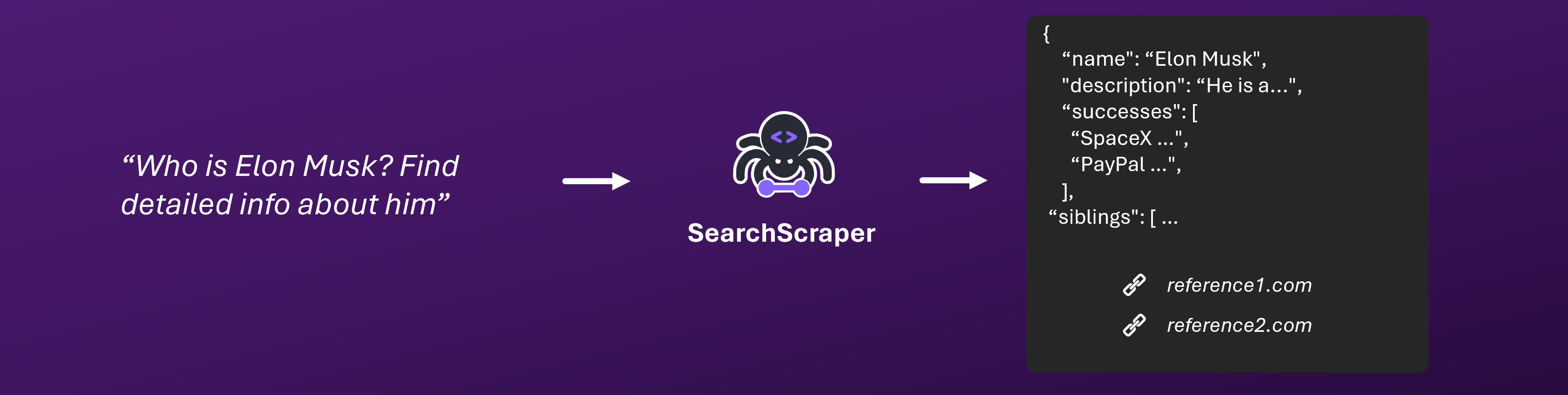
SearchScraper is our advanced LLM-powered search service that intelligently searches and aggregates information from multiple web sources. Using state-of-the-art language models, it understands your queries and extracts relevant information across the web, providing comprehensive answers with full source attribution.
SearchScraper offers two modes:
* **AI Extraction Mode** (default): Uses AI to extract and structure specific information (10 credits per page)
* **Markdown Mode**: Returns raw markdown content from scraped pages (2 credits per page)
Try SearchScraper instantly in our [interactive playground](https://scrapegraphai.com/dashboard)
## Getting Started
### Quick Start
#### AI Extraction Mode (Default)
```python Python theme={null}
from scrapegraph_py import Client
client = Client(api_key="your-api-key")
response = client.searchscraper(
user_prompt="What are the key features and pricing of ChatGPT Plus?",
num_results=5 # Search 5 websites (default is 3)
)
```
```javascript JavaScript theme={null}
import { searchScraper } from 'scrapegraph-js';
const apiKey = 'your-api-key';
const prompt = 'What is the latest version of Python and what are its main features?';
const response = await searchScraper(apiKey, {
user_prompt: prompt,
num_results: 5,
});
if (response.status === 'success') {
console.log(response.data);
} else {
console.error(response.error);
}
```
```bash cURL theme={null}
curl -X 'POST' \
'https://api.scrapegraphai.com/v1/searchscraper' \
-H 'accept: application/json' \
-H 'SGAI-APIKEY: your-api-key' \
-H 'Content-Type: application/json' \
-d '{
"user_prompt": "Search for information",
"num_results": 5,
"extraction_mode": true
}'
```
```bash CLI theme={null}
just-scrape search-scraper "What are the key features and pricing of ChatGPT Plus?" --num-results 5
```
#### Markdown Mode (Cost-Effective)
```python Python theme={null}
from scrapegraph_py import Client
client = Client(api_key="your-api-key")
response = client.searchscraper(
user_prompt="Latest developments in artificial intelligence",
num_results=3,
extraction_mode=False # Enable markdown mode
)
# Access raw markdown content
print(response['markdown_content'])
```
```javascript JavaScript theme={null}
import { searchScraper } from 'scrapegraph-js';
const apiKey = 'your-api-key';
const prompt = 'Latest developments in artificial intelligence';
const response = await searchScraper(apiKey, {
user_prompt: prompt,
num_results: 3,
extraction_mode: false,
});
if (response.status === 'success') {
console.log('Markdown content:', response.data.markdown_content);
} else {
console.error(response.error);
}
```
```bash cURL theme={null}
curl -X 'POST' \
'https://api.scrapegraphai.com/v1/searchscraper' \
-H 'accept: application/json' \
-H 'SGAI-APIKEY: your-api-key' \
-H 'Content-Type: application/json' \
-d '{
"user_prompt": "Latest developments in artificial intelligence",
"num_results": 3,
"extraction_mode": false
}'
```
```bash CLI theme={null}
just-scrape search-scraper "Latest developments in artificial intelligence" --num-results 3 --no-extraction
```
#### Geo-Targeted Search
Filter search results to a specific geographic region using the `location_geo_code` parameter:
```python Python theme={null}
from scrapegraph_py import Client
client = Client(api_key="your-api-key")
response = client.searchscraper(
user_prompt="What are the best local restaurants?",
location_geo_code="us" # Filter results to United States
)
```
```javascript JavaScript theme={null}
import { searchScraper } from 'scrapegraph-js';
const apiKey = 'your-api-key';
const prompt = 'What are the best local restaurants?';
const response = await searchScraper(apiKey, {
user_prompt: prompt,
location_geo_code: 'us',
});
if (response.status === 'success') {
console.log(response.data);
} else {
console.error(response.error);
}
```
```bash cURL theme={null}
curl -X 'POST' \
'https://api.scrapegraphai.com/v1/searchscraper' \
-H 'accept: application/json' \
-H 'SGAI-APIKEY: your-api-key' \
-H 'Content-Type: application/json' \
-d '{
"user_prompt": "What are the best local restaurants?",
"location_geo_code": "us"
}'
```
Geo-Targeting: Use standard country codes (e.g., "us" for United States, "gb" for United Kingdom, "de" for Germany) to filter search results to a specific region. This is useful for location-specific queries like local businesses, regional news, or country-specific information.
#### Time Range Filter
Filter search results by date range using the `time_range` parameter:
```python Python theme={null}
from scrapegraph_py import Client
from scrapegraph_py.models import TimeRange
client = Client(api_key="your-api-key")
response = client.searchscraper(
user_prompt="Latest news about AI",
time_range=TimeRange.PAST_WEEK # Only results from the past week
)
```
```javascript JavaScript theme={null}
import { searchScraper } from 'scrapegraph-js';
const apiKey = 'your-api-key';
const prompt = 'Latest news about AI';
const response = await searchScraper(apiKey, {
user_prompt: prompt,
num_results: 5,
time_range: 'past_week',
});
if (response.status === 'success') {
console.log(response.data);
} else {
console.error(response.error);
}
```
```bash cURL theme={null}
curl -X 'POST' \
'https://api.scrapegraphai.com/v1/searchscraper' \
-H 'accept: application/json' \
-H 'SGAI-APIKEY: your-api-key' \
-H 'Content-Type: application/json' \
-d '{
"user_prompt": "Latest news about AI",
"time_range": "past_week"
}'
```
Time Range Filtering: Use the time range filter to get only recent results. Available options:
* `past_hour` - Results from the past hour
* `past_24_hours` - Results from the past 24 hours
* `past_week` - Results from the past week
* `past_month` - Results from the past month
* `past_year` - Results from the past year
This is particularly useful for finding recent news, updates, or time-sensitive information.
#### Parameters
| Parameter | Type | Required | Description |
| ------------------- | ------- | -------- | -------------------------------------------------------------------------------------------------------------------------------------------------------------------------------------- |
| apiKey | string | Yes | The ScrapeGraph API Key. |
| user\_prompt | string | Yes | A textual description of what you want to achieve. |
| num\_results | number | No | Number of websites to search (3-20). Default: 3. Higher = deeper research. |
| extraction\_mode | boolean | No | **true** = AI extraction mode (10 credits/page), **false** = markdown mode (2 credits/page). Default: true |
| output\_schema | object | No | The Pydantic or Zod object that describes the structure and format of the response (AI extraction mode only) |
| location\_geo\_code | string | No | Geographic location code for geo-targeted search results (e.g., "us", "gb", "de"). Filters results to the specified region. |
| time\_range | string | No | Date range filter for search results. Options: "past\_hour", "past\_24\_hours", "past\_week", "past\_month", "past\_year". Filters results to the specified time period. |
| mock | boolean | No | Optional parameter to enable mock mode. When set to true, the request will return mock data instead of performing an actual search. Useful for testing and development. Default: false |
NEW: You can now control the number of websites to search (3-20) for deeper research. More sites = more credits. See advanced usage below!
Cost-Effective: Markdown mode uses only 2 credits per page compared to 10 credits for AI extraction mode, making it perfect for bulk content gathering and analysis.
You can now configure how many websites SearchScraper will search (from 3 up to 20). This allows you to balance research depth and credit usage.
* Default: 3 websites (30 credits AI mode / 6 credits markdown mode)
* Enhanced: 5 websites (50 credits AI mode / 10 credits markdown mode)
* Maximum: 20 websites (200 credits AI mode / 40 credits markdown mode)
Credit Calculation:
* **AI Extraction Mode**: 30 credits base + 10 credits for each website above 3
* **Markdown Mode**: 6 credits base + 2 credits for each website above 3
Example costs:
* 3 websites: 30 credits (AI) / 6 credits (markdown)
* 5 websites: 50 credits (AI) / 10 credits (markdown)
* 10 websites: 100 credits (AI) / 20 credits (markdown)
* 20 websites: 200 credits (AI) / 40 credits (markdown)
How to use: Set
## Overview
SearchScraper is our advanced LLM-powered search service that intelligently searches and aggregates information from multiple web sources. Using state-of-the-art language models, it understands your queries and extracts relevant information across the web, providing comprehensive answers with full source attribution.
SearchScraper offers two modes:
* **AI Extraction Mode** (default): Uses AI to extract and structure specific information (10 credits per page)
* **Markdown Mode**: Returns raw markdown content from scraped pages (2 credits per page)
Try SearchScraper instantly in our [interactive playground](https://scrapegraphai.com/dashboard)
## Getting Started
### Quick Start
#### AI Extraction Mode (Default)
```python Python theme={null}
from scrapegraph_py import Client
client = Client(api_key="your-api-key")
response = client.searchscraper(
user_prompt="What are the key features and pricing of ChatGPT Plus?",
num_results=5 # Search 5 websites (default is 3)
)
```
```javascript JavaScript theme={null}
import { searchScraper } from 'scrapegraph-js';
const apiKey = 'your-api-key';
const prompt = 'What is the latest version of Python and what are its main features?';
const response = await searchScraper(apiKey, {
user_prompt: prompt,
num_results: 5,
});
if (response.status === 'success') {
console.log(response.data);
} else {
console.error(response.error);
}
```
```bash cURL theme={null}
curl -X 'POST' \
'https://api.scrapegraphai.com/v1/searchscraper' \
-H 'accept: application/json' \
-H 'SGAI-APIKEY: your-api-key' \
-H 'Content-Type: application/json' \
-d '{
"user_prompt": "Search for information",
"num_results": 5,
"extraction_mode": true
}'
```
```bash CLI theme={null}
just-scrape search-scraper "What are the key features and pricing of ChatGPT Plus?" --num-results 5
```
#### Markdown Mode (Cost-Effective)
```python Python theme={null}
from scrapegraph_py import Client
client = Client(api_key="your-api-key")
response = client.searchscraper(
user_prompt="Latest developments in artificial intelligence",
num_results=3,
extraction_mode=False # Enable markdown mode
)
# Access raw markdown content
print(response['markdown_content'])
```
```javascript JavaScript theme={null}
import { searchScraper } from 'scrapegraph-js';
const apiKey = 'your-api-key';
const prompt = 'Latest developments in artificial intelligence';
const response = await searchScraper(apiKey, {
user_prompt: prompt,
num_results: 3,
extraction_mode: false,
});
if (response.status === 'success') {
console.log('Markdown content:', response.data.markdown_content);
} else {
console.error(response.error);
}
```
```bash cURL theme={null}
curl -X 'POST' \
'https://api.scrapegraphai.com/v1/searchscraper' \
-H 'accept: application/json' \
-H 'SGAI-APIKEY: your-api-key' \
-H 'Content-Type: application/json' \
-d '{
"user_prompt": "Latest developments in artificial intelligence",
"num_results": 3,
"extraction_mode": false
}'
```
```bash CLI theme={null}
just-scrape search-scraper "Latest developments in artificial intelligence" --num-results 3 --no-extraction
```
#### Geo-Targeted Search
Filter search results to a specific geographic region using the `location_geo_code` parameter:
```python Python theme={null}
from scrapegraph_py import Client
client = Client(api_key="your-api-key")
response = client.searchscraper(
user_prompt="What are the best local restaurants?",
location_geo_code="us" # Filter results to United States
)
```
```javascript JavaScript theme={null}
import { searchScraper } from 'scrapegraph-js';
const apiKey = 'your-api-key';
const prompt = 'What are the best local restaurants?';
const response = await searchScraper(apiKey, {
user_prompt: prompt,
location_geo_code: 'us',
});
if (response.status === 'success') {
console.log(response.data);
} else {
console.error(response.error);
}
```
```bash cURL theme={null}
curl -X 'POST' \
'https://api.scrapegraphai.com/v1/searchscraper' \
-H 'accept: application/json' \
-H 'SGAI-APIKEY: your-api-key' \
-H 'Content-Type: application/json' \
-d '{
"user_prompt": "What are the best local restaurants?",
"location_geo_code": "us"
}'
```
Geo-Targeting: Use standard country codes (e.g., "us" for United States, "gb" for United Kingdom, "de" for Germany) to filter search results to a specific region. This is useful for location-specific queries like local businesses, regional news, or country-specific information.
#### Time Range Filter
Filter search results by date range using the `time_range` parameter:
```python Python theme={null}
from scrapegraph_py import Client
from scrapegraph_py.models import TimeRange
client = Client(api_key="your-api-key")
response = client.searchscraper(
user_prompt="Latest news about AI",
time_range=TimeRange.PAST_WEEK # Only results from the past week
)
```
```javascript JavaScript theme={null}
import { searchScraper } from 'scrapegraph-js';
const apiKey = 'your-api-key';
const prompt = 'Latest news about AI';
const response = await searchScraper(apiKey, {
user_prompt: prompt,
num_results: 5,
time_range: 'past_week',
});
if (response.status === 'success') {
console.log(response.data);
} else {
console.error(response.error);
}
```
```bash cURL theme={null}
curl -X 'POST' \
'https://api.scrapegraphai.com/v1/searchscraper' \
-H 'accept: application/json' \
-H 'SGAI-APIKEY: your-api-key' \
-H 'Content-Type: application/json' \
-d '{
"user_prompt": "Latest news about AI",
"time_range": "past_week"
}'
```
Time Range Filtering: Use the time range filter to get only recent results. Available options:
* `past_hour` - Results from the past hour
* `past_24_hours` - Results from the past 24 hours
* `past_week` - Results from the past week
* `past_month` - Results from the past month
* `past_year` - Results from the past year
This is particularly useful for finding recent news, updates, or time-sensitive information.
#### Parameters
| Parameter | Type | Required | Description |
| ------------------- | ------- | -------- | -------------------------------------------------------------------------------------------------------------------------------------------------------------------------------------- |
| apiKey | string | Yes | The ScrapeGraph API Key. |
| user\_prompt | string | Yes | A textual description of what you want to achieve. |
| num\_results | number | No | Number of websites to search (3-20). Default: 3. Higher = deeper research. |
| extraction\_mode | boolean | No | **true** = AI extraction mode (10 credits/page), **false** = markdown mode (2 credits/page). Default: true |
| output\_schema | object | No | The Pydantic or Zod object that describes the structure and format of the response (AI extraction mode only) |
| location\_geo\_code | string | No | Geographic location code for geo-targeted search results (e.g., "us", "gb", "de"). Filters results to the specified region. |
| time\_range | string | No | Date range filter for search results. Options: "past\_hour", "past\_24\_hours", "past\_week", "past\_month", "past\_year". Filters results to the specified time period. |
| mock | boolean | No | Optional parameter to enable mock mode. When set to true, the request will return mock data instead of performing an actual search. Useful for testing and development. Default: false |
NEW: You can now control the number of websites to search (3-20) for deeper research. More sites = more credits. See advanced usage below!
Cost-Effective: Markdown mode uses only 2 credits per page compared to 10 credits for AI extraction mode, making it perfect for bulk content gathering and analysis.
You can now configure how many websites SearchScraper will search (from 3 up to 20). This allows you to balance research depth and credit usage.
* Default: 3 websites (30 credits AI mode / 6 credits markdown mode)
* Enhanced: 5 websites (50 credits AI mode / 10 credits markdown mode)
* Maximum: 20 websites (200 credits AI mode / 40 credits markdown mode)
Credit Calculation:
* **AI Extraction Mode**: 30 credits base + 10 credits for each website above 3
* **Markdown Mode**: 6 credits base + 2 credits for each website above 3
Example costs:
* 3 websites: 30 credits (AI) / 6 credits (markdown)
* 5 websites: 50 credits (AI) / 10 credits (markdown)
* 10 websites: 100 credits (AI) / 20 credits (markdown)
* 20 websites: 200 credits (AI) / 40 credits (markdown)
How to use: Set num\_results and extraction\_mode in your request.
```json theme={null}
{
"request_id": "sg-req-abc123",
"status": "completed",
"user_prompt": "What are the key features and pricing of ChatGPT Plus?",
"result": {
"product": {
"name": "ChatGPT Plus",
"description": "Premium version of ChatGPT with advanced features and capabilities",
"target_audience": "Power users and professionals requiring advanced AI capabilities"
},
"features": [
{
"name": "GPT-4 Access",
"description": "Access to the latest GPT-4 language model"
},
{
"name": "Response Speed",
"description": "Faster response times compared to free tier"
},
{
"name": "Priority Access",
"description": "Guaranteed access during peak usage times"
},
{
"name": "New Features",
"description": "Early access to new features and improvements"
},
{
"name": "Plugin Support",
"description": "Access to third-party plugins and integrations"
}
],
"pricing": {
"plans": [
{
"name": "Plus Subscription",
"price": {
"amount": 20,
"currency": "USD",
"period": "monthly"
},
"features": [
"GPT-4 access",
"Faster response speed",
"Priority access during peak times",
"Early feature access",
"Plugin support"
]
}
]
},
"availability": {
"regions": [
"United States",
"European Union",
"United Kingdom",
"Most other countries"
],
"restrictions": [
"Not available in sanctioned countries",
"Requires credit card for subscription"
]
}
},
"reference_urls": [
"https://openai.com/chatgpt",
"https://openai.com/blog/chatgpt-plus",
"https://help.openai.com/en/articles/6825453-chatgpt-plus-plan"
],
"error": ""
}
```
The response includes:
* `request_id`: Unique identifier for tracking your request
* `status`: Current status of the search ("completed", "running", "failed")
* `result`: The extracted data in structured JSON format
* `reference_urls`: Source URLs for verification
* `error`: Error message (if any occurred during search)
When using markdown mode (`extraction_mode: false`), the response format is different:
```json theme={null}
{
"request_id": "sg-req-abc123",
"status": "completed",
"user_prompt": "Latest developments in artificial intelligence",
"markdown_content": "# Latest AI Developments\n\n## OpenAI GPT-4o\n\nThe latest version of GPT-4, called GPT-4o, was released in May 2024...\n\n## Google Gemini\n\nGoogle's Gemini models continue to evolve with improved multimodal capabilities...\n\n## Meta Llama\n\nMeta's Llama 3.1 models offer enhanced reasoning and code generation...",
"reference_urls": [
"https://openai.com/blog/gpt-4o",
"https://blog.google/technology/ai/gemini-2-0-flash",
"https://ai.meta.com/blog/meta-llama-3-1"
],
"error": ""
}
```
**Markdown Mode Response Fields:**
* `request_id`: Unique identifier for tracking your request
* `status`: Current status of the search ("completed", "running", "failed")
* `markdown_content`: Raw markdown content from all scraped pages combined
* `reference_urls`: Source URLs for verification
* `error`: Error message (if any occurred during search)
**Key Differences:**
* No `result` field (AI extraction not performed)
* `markdown_content` contains the raw markdown from scraped pages
* Much faster and more cost-effective (2 credits per page vs 10 credits)
* Perfect for content analysis, bulk data gathering, or when you need the full page content
## Key Features
Intelligent search across multiple reliable web sources
Advanced LLM models for accurate information extraction
Clean, structured data in your preferred format
Full transparency with reference URLs
## Use Cases
### Research & Analysis
* Academic research and fact-finding
* Market research and competitive analysis
* Technology trend analysis
* Industry insights gathering
### Data Aggregation
* Product research and comparison
* Company information compilation
* Price monitoring across sources
* Technology stack analysis
### Content Creation
* Fact verification and citation
* Content research and inspiration
* Data-driven article writing
* Knowledge base building
## Markdown Mode Use Cases
Markdown mode is perfect for scenarios where you need the full content of web pages rather than AI-extracted summaries:
### Content Analysis
* Analyze full article content for research
* Extract complete product descriptions
* Gather comprehensive documentation
* Build content databases
### Bulk Data Collection
* Collect large amounts of text content
* Gather multiple pages for analysis
* Create content archives
* Build training datasets
### Cost-Effective Scraping
* When you need full page content but want to minimize costs
* For high-volume content gathering
* When AI extraction isn't needed
* For content that will be processed by your own AI models
Here's a complete example of using markdown mode for content analysis:
```python theme={null}
from scrapegraph_py import Client
client = Client(api_key="your-api-key")
# Search for AI research papers and get full markdown content
response = client.searchscraper(
user_prompt="Latest research papers on machine learning and neural networks",
num_results=5,
extraction_mode=False # Enable markdown mode
)
# Access the raw markdown content
markdown_content = response['markdown_content']
# Process the markdown content
print(f"Total content length: {len(markdown_content)} characters")
print(f"Reference URLs: {len(response['reference_urls'])}")
# Save to file for analysis
with open('ai_research_content.md', 'w', encoding='utf-8') as f:
f.write(markdown_content)
print("Content saved to ai_research_content.md")
```
```javascript theme={null}
import { searchScraper } from 'scrapegraph-js';
import fs from 'fs';
const apiKey = 'your-api-key';
const response = await searchScraper(apiKey, {
user_prompt: 'Latest research papers on machine learning and neural networks',
num_results: 5,
extraction_mode: false,
});
if (response.status === 'success') {
const markdownContent = response.data.markdown_content;
console.log(`Total content length: ${markdownContent.length} characters`);
console.log(`Reference URLs: ${response.data.reference_urls.length}`);
fs.writeFileSync('ai_research_content.md', markdownContent, 'utf8');
console.log('Content saved to ai_research_content.md');
} else {
console.error('Error:', response.error);
}
```
Want to learn more about our AI-powered search technology? Visit our [main website](https://scrapegraphai.com) to discover how we're revolutionizing web research.
## Other Functionality
### Retrieve a previous request
If you know the response id of a previous request you made, you can retrieve all the information.
```javascript JavaScript theme={null}
import { history } from 'scrapegraph-js';
const apiKey = 'your_api_key';
const response = await history(apiKey, {
service: 'searchscraper',
page: 1,
page_size: 10,
});
if (response.status === 'success') {
console.log(response.data.requests);
}
```
```bash cURL theme={null}
curl -X 'POST' \
'https://api.scrapegraphai.com/v1/searchscraper' \
-H 'accept: application/json' \
-H 'SGAI-APIKEY: sgai-********************' \
-H 'Content-Type: application/json' \
-d '{
"user_prompt": "Search for information"
}'
```
#### Parameters
| Parameter | Type | Required | Description |
| --------- | ------ | -------- | ------------------------------------------------------------------------------ |
| apiKey | string | Yes | The ScrapeGraph API Key. |
| requestId | string | Yes | The request ID associated with the output of a previous searchScraper request. |
### Custom Schema Example
Define exactly what data you want to extract using Pydantic or Zod:
```python Python theme={null}
from pydantic import BaseModel, Field
from typing import List
class CompanyProfile(BaseModel):
name: str = Field(description="Company name")
description: str = Field(description="Brief company description")
founded_year: str = Field(description="Year the company was founded")
headquarters: str = Field(description="Company headquarters location")
employees: str = Field(description="Number of employees")
industry: str = Field(description="Primary industry")
products: List[str] = Field(description="Main products or services")
competitors: List[str] = Field(description="Major competitors")
market_share: str = Field(description="Company's market share")
revenue: str = Field(description="Annual revenue")
tech_stack: List[str] = Field(description="Technologies used by the company")
response = client.searchscraper(
user_prompt="Find comprehensive information about OpenAI",
output_schema=CompanyProfile
)
```
```typescript JavaScript theme={null}
import { searchScraper } from 'scrapegraph-js';
import { z } from 'zod';
const apiKey = "your_api_key";
const prompt = 'What is the latest version of Python and what are its main features?';
const CompanyProfile = z.object({
name: z.string().describe('Company name'),
description: z.string().describe('Brief company description'),
foundedYear: z.string().describe('Year the company was founded'),
headquarters: z.string().describe('Company headquarters location'),
employees: z.string().describe('Number of employees'),
industry: z.string().describe('Primary industry'),
products: z.array(z.string()).describe('Main products or services'),
competitors: z.array(z.string()).describe('Major competitors'),
marketShare: z.string().describe('Company\'s market share'),
revenue: z.string().describe('Annual revenue'),
techStack: z.array(z.string()).describe('Technologies used by the company')
});
const response = await searchScraper(apiKey, {
user_prompt: prompt,
output_schema: CompanyProfile,
});
if (response.status === 'success') {
console.log(response.data.result);
} else {
console.error(response.error);
}
```
### Advanced Schema Usage
The schema system in SearchScraper is a powerful way to ensure you get exactly the data structure you need. Here are some advanced techniques for using schemas effectively:
#### Nested Schemas
You can create complex nested structures to capture hierarchical data:
```python Python theme={null}
from pydantic import BaseModel, Field
from typing import List, Optional
class Author(BaseModel):
name: str = Field(description="Author's full name")
bio: Optional[str] = Field(description="Author's biography")
expertise: List[str] = Field(description="Areas of expertise")
class Article(BaseModel):
title: str = Field(description="Article title")
content: str = Field(description="Main article content")
author: Author = Field(description="Article author information")
publication_date: str = Field(description="Date of publication")
tags: List[str] = Field(description="Article tags or categories")
response = client.searchscraper(
user_prompt="Find the latest AI research articles",
output_schema=Article
)
```
```typescript JavaScript theme={null}
import { z } from 'zod';
const Author = z.object({
name: z.string().describe("Author's full name"),
bio: z.string().optional().describe("Author's biography"),
expertise: z.array(z.string()).describe("Areas of expertise")
});
const Article = z.object({
title: z.string().describe("Article title"),
content: z.string().describe("Main article content"),
author: Author.describe("Article author information"),
publicationDate: z.string().describe("Date of publication"),
tags: z.array(z.string()).describe("Article tags or categories")
});
const response = await searchScraper(apiKey, {
user_prompt: prompt,
output_schema: Article,
});
```
#### Schema Validation Rules
Enhance data quality by adding validation rules to your schema:
```python Python theme={null}
from pydantic import BaseModel, Field, validator
from typing import List
from datetime import datetime
class ProductInfo(BaseModel):
name: str = Field(description="Product name")
price: float = Field(description="Product price", gt=0)
currency: str = Field(description="Currency code", max_length=3)
release_date: str = Field(description="Product release date")
@validator('currency')
def validate_currency(cls, v):
if len(v) != 3 or not v.isupper():
raise ValueError('Currency must be a 3-letter uppercase code')
return v
@validator('release_date')
def validate_date(cls, v):
try:
datetime.strptime(v, '%Y-%m-%d')
return v
except ValueError:
raise ValueError('Date must be in YYYY-MM-DD format')
```
```typescript JavaScript theme={null}
import { z } from 'zod';
const ProductInfo = z.object({
name: z.string().min(1).describe("Product name"),
price: z.number().positive().describe("Product price"),
currency: z.string().length(3).toUpperCase()
.describe("Currency code"),
releaseDate: z.string().regex(/^\d{4}-\d{2}-\d{2}$/)
.describe("Product release date")
});
```
### Quality Improvement Tips
To get the highest quality results from SearchScraper, follow these best practices:
#### 1. Detailed Field Descriptions
Always provide clear, detailed descriptions for each field in your schema:
```python theme={null}
class CompanyInfo(BaseModel):
revenue: str = Field(
description="Annual revenue in USD, including the year of reporting"
# Good: "Annual revenue in USD, including the year of reporting"
# Bad: "Revenue"
)
market_position: str = Field(
description="Company's market position including market share percentage and rank among competitors"
# Good: "Company's market position including market share percentage and rank among competitors"
# Bad: "Position"
)
```
#### 2. Structured Prompts
Combine schemas with well-structured prompts for better results:
```python theme={null}
response = client.searchscraper(
user_prompt="""
Find information about Tesla's electric vehicles with specific focus on:
- Latest Model 3 and Model Y specifications
- Current pricing structure
- Available customization options
- Delivery timeframes
Please include only verified information from official sources.
""",
output_schema=TeslaVehicleInfo
)
```
#### 3. Data Validation
Implement comprehensive validation to ensure data quality:
```python theme={null}
from pydantic import BaseModel, Field, validator
from typing import List, Optional
from datetime import datetime
class MarketData(BaseModel):
timestamp: str = Field(description="Data timestamp in ISO format")
value: float = Field(description="Market value")
confidence_score: float = Field(description="Confidence score between 0 and 1")
@validator('timestamp')
def validate_timestamp(cls, v):
try:
datetime.fromisoformat(v)
return v
except ValueError:
raise ValueError('Invalid ISO timestamp format')
@validator('confidence_score')
def validate_confidence(cls, v):
if not 0 <= v <= 1:
raise ValueError('Confidence score must be between 0 and 1')
return v
```
#### 4. Error Handling
Implement robust error handling for schema validation:
```python theme={null}
try:
response = client.searchscraper(
user_prompt="Find market data for NASDAQ:AAPL",
output_schema=MarketData
)
validated_data = MarketData(**response.result)
except ValidationError as e:
print(f"Data validation failed: {e.json()}")
# Implement fallback logic or error reporting
except Exception as e:
print(f"An error occurred: {str(e)}")
```
### Async Support
Example of using the async searchscraper functionality to search for information concurrently:
```python theme={null}
import asyncio
from scrapegraph_py import AsyncClient
from scrapegraph_py.logger import sgai_logger
sgai_logger.set_logging(level="INFO")
async def main():
# Initialize async client
sgai_client = AsyncClient(api_key="your-api-key-here")
# List of search queries
queries = [
"What is the latest version of Python and what are its main features?",
"What are the key differences between Python 2 and Python 3?",
"What is Python's GIL and how does it work?",
]
# Create tasks for concurrent execution
tasks = [sgai_client.searchscraper(user_prompt=query) for query in queries]
# Execute requests concurrently
responses = await asyncio.gather(*tasks, return_exceptions=True)
# Process results
for i, response in enumerate(responses):
if isinstance(response, Exception):
print(f"\nError for query {i+1}: {response}")
else:
print(f"\nSearch {i+1}:")
print(f"Query: {queries[i]}")
print(f"Result: {response['result']}")
print("Reference URLs:")
for url in response["reference_urls"]:
print(f"- {url}")
await sgai_client.close()
if __name__ == "__main__":
asyncio.run(main())
```
## Integration Options
### Official SDKs
* [Python SDK](/sdks/python) - Perfect for data science and backend applications
* [JavaScript SDK](/sdks/javascript) - Ideal for web applications and Node.js
### AI Framework Integrations
* [LangChain Integration](/integrations/langchain) - Use SearchScraper in your LLM workflows
* [LlamaIndex Integration](/integrations/llamaindex) - Build powerful search and QA systems
* [CrewAI Integration](/integrations/crewai) - Create AI agents with search capabilities
## Best Practices
### Query Optimization
1. Be specific in your prompts
2. Use descriptive queries
3. Include relevant context
4. Specify time-sensitive requirements
### Schema Design
* Start with essential fields
* Use appropriate data types
* Add field descriptions
* Make optional fields nullable
* Group related information
### Rate Limiting
* Implement reasonable delays between requests
* Use async clients for better performance
* Monitor your [API usage](/dashboard/overview)
## Example Projects
Check out our [cookbook](/cookbook/introduction) for real-world examples:
* [Company Research](/cookbook/examples/company-info)
* [Market Analysis](/cookbook/examples/research-agent)
* [Technology Trends](/cookbook/examples/github-trending)
* [News Aggregation](/cookbook/examples/wired)
## API Reference
For detailed API documentation, see:
* [Start Search](/api-reference/endpoint/searchscraper/start)
* [Get Search Status](/api-reference/endpoint/searchscraper/get-status)
## Support & Resources
Comprehensive guides and tutorials
Detailed API documentation
Join our Discord community
Check out our open-source projects
Sign up now and get your API key to begin searching and extracting data with SearchScraper!
### Example: Configurable Website Limits
```python Python theme={null}
import os
from dotenv import load_dotenv
from scrapegraph_py import Client
from scrapegraph_py.logger import sgai_logger
load_dotenv()
sgai_logger.set_logging(level="INFO")
api_key = os.getenv("SGAI_API_KEY")
if not api_key:
raise ValueError("SGAI_API_KEY not found in environment variables. Please create a .env file with: SGAI_API_KEY=your_api_key_here")
client = Client(api_key=api_key)
response = client.searchscraper(
user_prompt="What is the latest version of Python and what are its main features?",
num_results=5 # Try 3, 5, 10, or 20 for different research depth
)
print("\nResults:")
print(f"Answer: {response['result']}")
print("\nReference URLs:")
for url in response["reference_urls"]:
print(f"- {url}")
client.close()
```
```javascript JavaScript theme={null}
import { searchScraper } from 'scrapegraph-js';
import 'dotenv/config';
const apiKey = process.env.SGAI_APIKEY;
const prompt = 'What is the latest version of Python and what are its main features?';
const numResults = 5; // Try 3, 5, 10, or 20 for different research depth
console.log(`Searching ${numResults} websites for: ${prompt}`);
const response = await searchScraper(apiKey, {
user_prompt: prompt,
num_results: numResults,
});
if (response.status === 'success') {
console.log('Search completed successfully!');
console.log(`Result: ${response.data.result}`);
console.log('\nReference URLs:');
response.data.reference_urls?.forEach((url, index) => {
console.log(`${index + 1}. ${url}`);
});
} else {
console.error('Error:', response.error);
}
```
```bash cURL theme={null}
curl -X 'POST' \
'https://api.scrapegraphai.com/v1/searchscraper' \
-H 'accept: application/json' \
-H 'SGAI-APIKEY: your-api-key' \
-H 'Content-Type: application/json' \
-d '{
"user_prompt": "What is the latest version of Python and what are its main features?",
"num_results": 5
}'
```