

Transition from v1 to v2
If you’re onn8n-nodes-scrapegraphai@0.x, this is your migration checkpoint.
Before anything else, update the community node in n8n at Settings → Community Nodes → n8n-nodes-scrapegraphai → Update to 1.0.2 (or later). Your existing SGAI-APIKEY works as-is — no re-auth needed.
Method-by-method migration
Use this table to map old resources to the new ones. Details and field changes follow below.
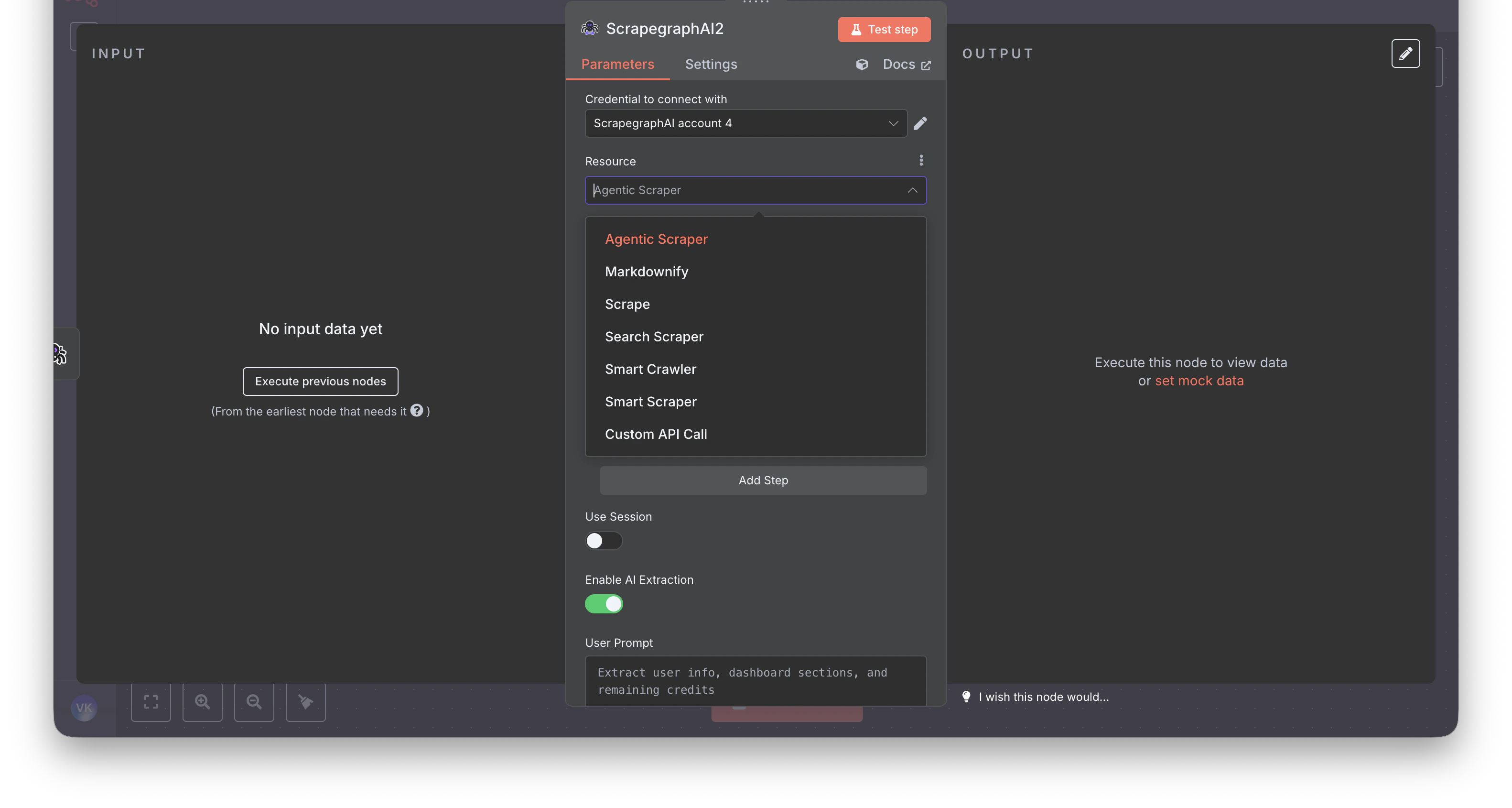
The resource picker at a glance — before (v1, 6 resources):
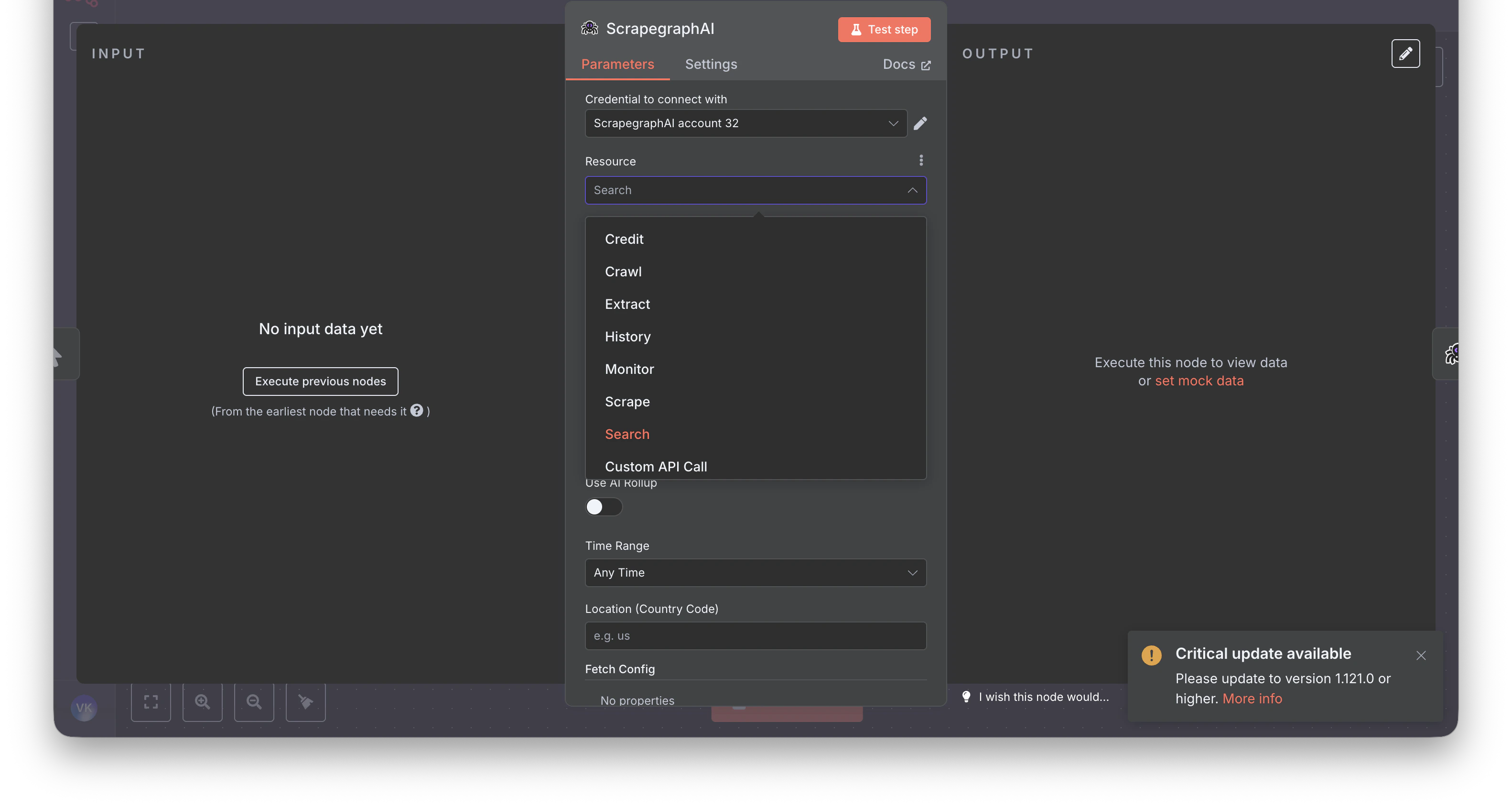
Step-by-step rebuild
1. Markdownify → Scrape
Before: A dedicated Markdownify resource that always returned markdown.
After: Use the Scrape resource with one Markdown format entry. Same job, more flexible — you can mix in HTML, Links, Summary, or Branding in the same call.
2. SmartScraper → Extract
Before (v1): Website URL + User Prompt, plus optional flat fields like Render Heavy JS and Number of Scrolls.
After (v2): URL + Prompt, optional Schema (JSON) behind a Use JSON Schema toggle. All fetch knobs move into a single Fetch Config collection shared across every resource.
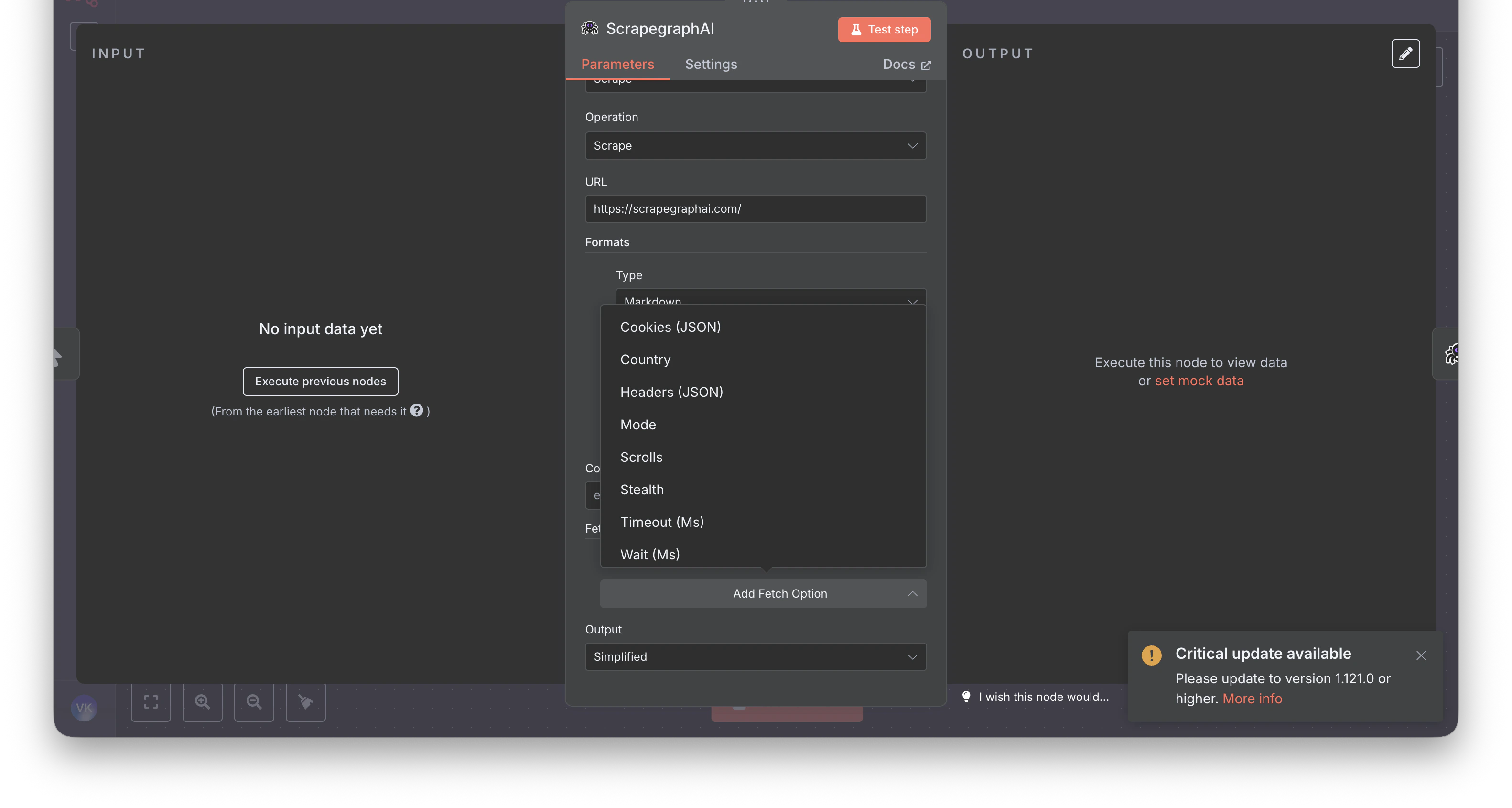
Fetch Config also adds knobs that didn’t exist in v1:
Stealth, Wait (Ms), Timeout (Ms), Country, Headers (JSON), Cookies (JSON).
3. SearchScraper → Search
Before: User Prompt + a few flat options.
After: Query (the search string) plus optional Rollup Prompt for AI extraction across all fetched results, optional Schema (JSON) behind a toggle, and new fields like Time Range and Location (Country Code).
4. SmartCrawler → Crawl jobs
Before: A single synchronous SmartCrawler operation.
After: Crawl is explicitly async. Start the job, then poll. Five operations are exposed: Start, Get Status, Stop, Resume, Delete.
A typical chain in n8n:
- Crawl → Start — returns a
cronId - Wait node (~60s)
- Crawl → Get Status — returns the
pages[]array - (Optional) Split Out + History → Get — fetch full content per crawled page
5. Output shape
Downstream nodes (Set, IF, HTTP Request) that reference v1 paths like$json.result.markdown will break — v2 returns a different shape.
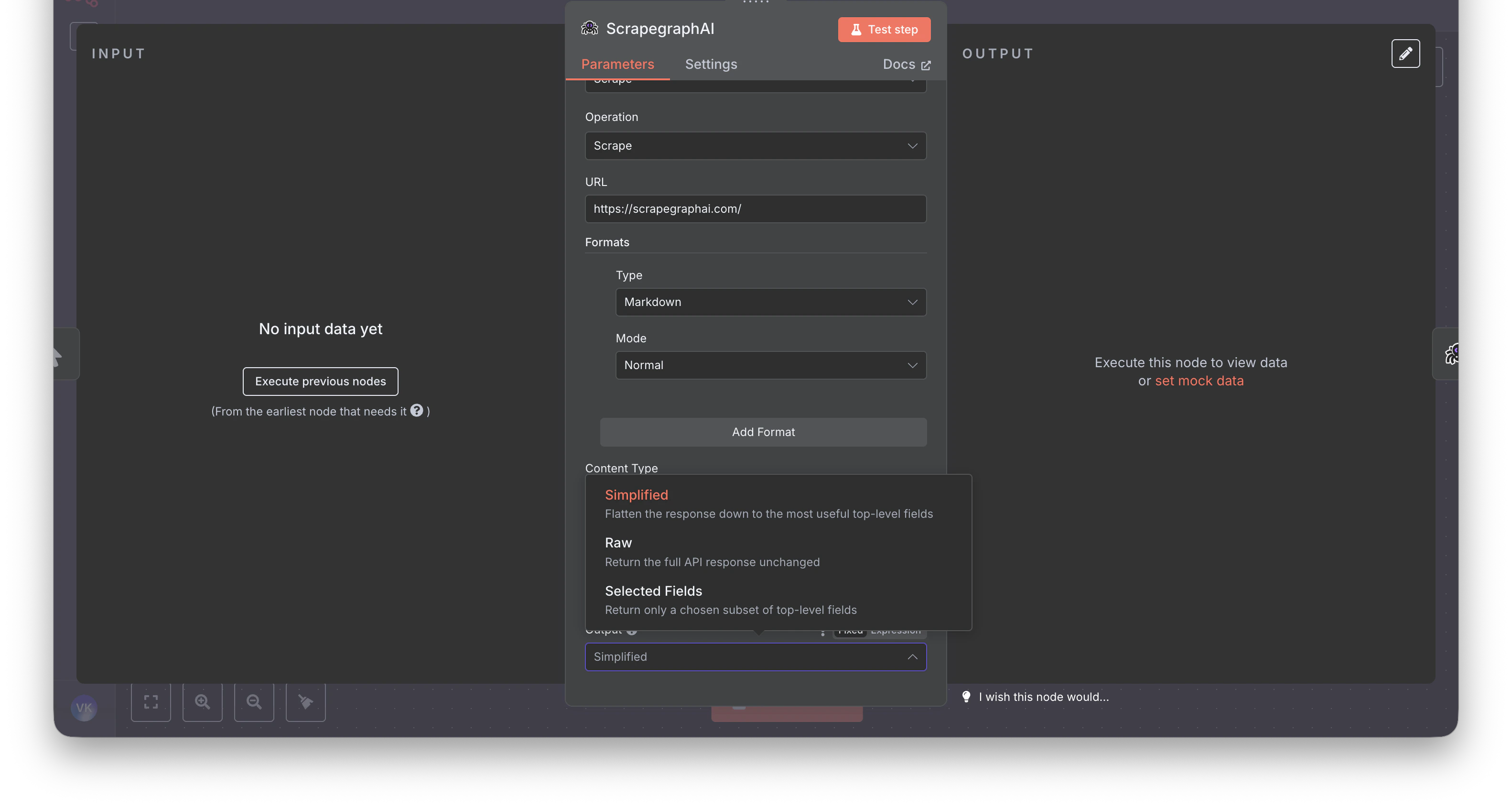
The new node ships an Output parameter on every content-producing operation (Scrape, Extract, Search) with three modes: Simplified, Raw, Selected Fields. Pick Simplified when migrating — it’s the closest match to v1.
What else changed in v2
- New Fetch Config knobs that didn’t exist in v1:
Stealth,Wait (Ms),Timeout (Ms),Country,Headers (JSON),Cookies (JSON) - New resources:
Monitor(cron + diff + webhook),History(look up past results byscrapeRefId),Credit(check usage) - Async crawl model with five lifecycle ops instead of one synchronous call
- AI-Agent friendly — every content-producing op exposes
Simplified/Raw/Selected Fieldsoutput modes - Cleaner credentials test — n8n hits
GET /api/creditsto verify keys
Recommended path
- Update the community node: Settings → Community Nodes →
n8n-nodes-scrapegraphai→ Update to1.0.2(or later) - Open each affected workflow — v1 ScrapeGraphAI nodes will surface as deprecated or fail to execute
- Drop in fresh ScrapeGraphAI nodes and pick the matching v2 resource from the migration table
- Re-map fields per the step-by-step rebuild above
- Set Output to
Simplified(closest to v1) - Test the node, fix downstream expressions, delete the v1 node
FAQ
- Will my workflows keep running until I touch them? Yes — until the next execution opens the v1 node, which then fails against the deprecated v1 API.
- Can I run v1 and v2 side-by-side? No — same package, version-pinned.
- Self-hosted vs n8n Cloud? Self-hosted: bump the version in Community Nodes. n8n Cloud doesn’t yet allow community nodes.
- I used Agentic Scraper — what now? Use Extract with Fetch Config → Mode = JS plus Stealth and Wait (Ms).
Related guides
n8n integration guide
Full reference for the v2 node — every resource, operation, and field
API transition guide
Python / JavaScript / REST migration — the underlying API changes
GitHub repo
Source code, issue tracker, release notes
Legacy v1 npm
The last 0.x release (deprecated)