

Overview
Hermes Agent is Nous Research’s local-first, autonomous agent that gets sharper over time by turning completed tasks into reusable skills. The one thing it cannot do out of the box is read the live web reliably with structured output. The ScrapeGraphAI just-scrape skill fixes that. One install gives Hermes a clean scraping toolkit that returns schema-enforced JSON instead of markdown soup. Combined with Hermes’ built-in cron scheduler, any scrape becomes a recurring agent that runs while you sleep.GitHub Repository
Browse the CLI and skill source
Prerequisites
If you have not installed Hermes yet, this one-liner handles it on macOS, Linux, or WSL2:
hermes. If it drops you into a chat prompt, you are ready.
Setup
1
Set your API key
Grab your API key from the dashboard and export it. Add it to your shell profile so Hermes inherits it on every launch:
2
Install the skill
The Alternatively, install via the skills.sh CLI (requires Node.js 18+):Either way, the skill lands in
just-scrape skill is published on skills.sh. Hermes has native skills.sh registry support, so one command pulls it down — and Hermes takes care of any tooling it needs on first use:~/.hermes/skills/ and is available the moment you start a new session.3
Verify it loaded
Hermes uses progressive disclosure for skills, so
just-scrape only consumes tokens when the agent decides to use it.Run your first scrape
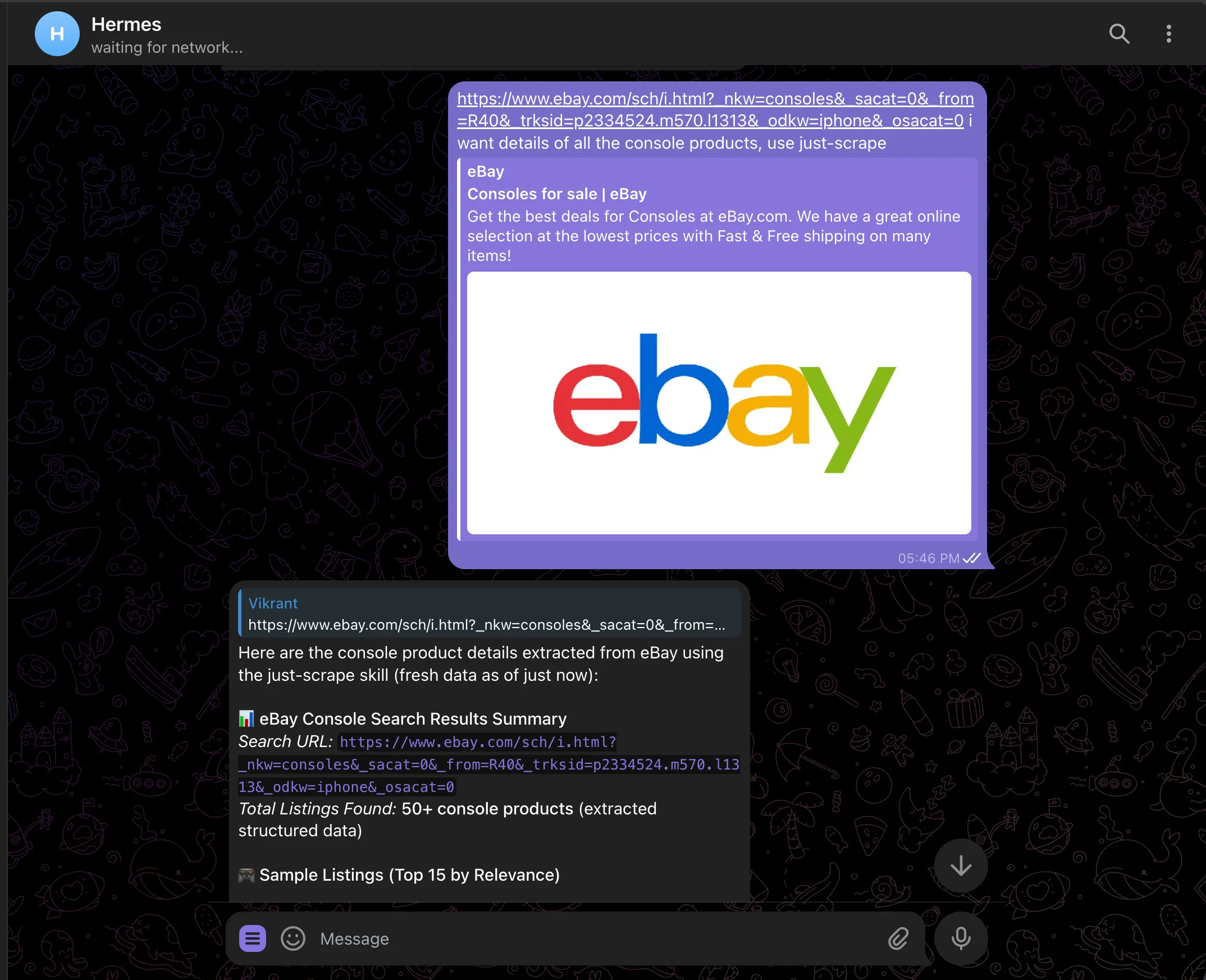
Start a fresh Hermes session and paste a URL. Hermes will read the skill, pick the rightjust-scrape subcommand, and return structured data:
just-scrape extract with a schema for title, price, condition, shipping, seller rating, and listing URL, then streams back a clean summary.
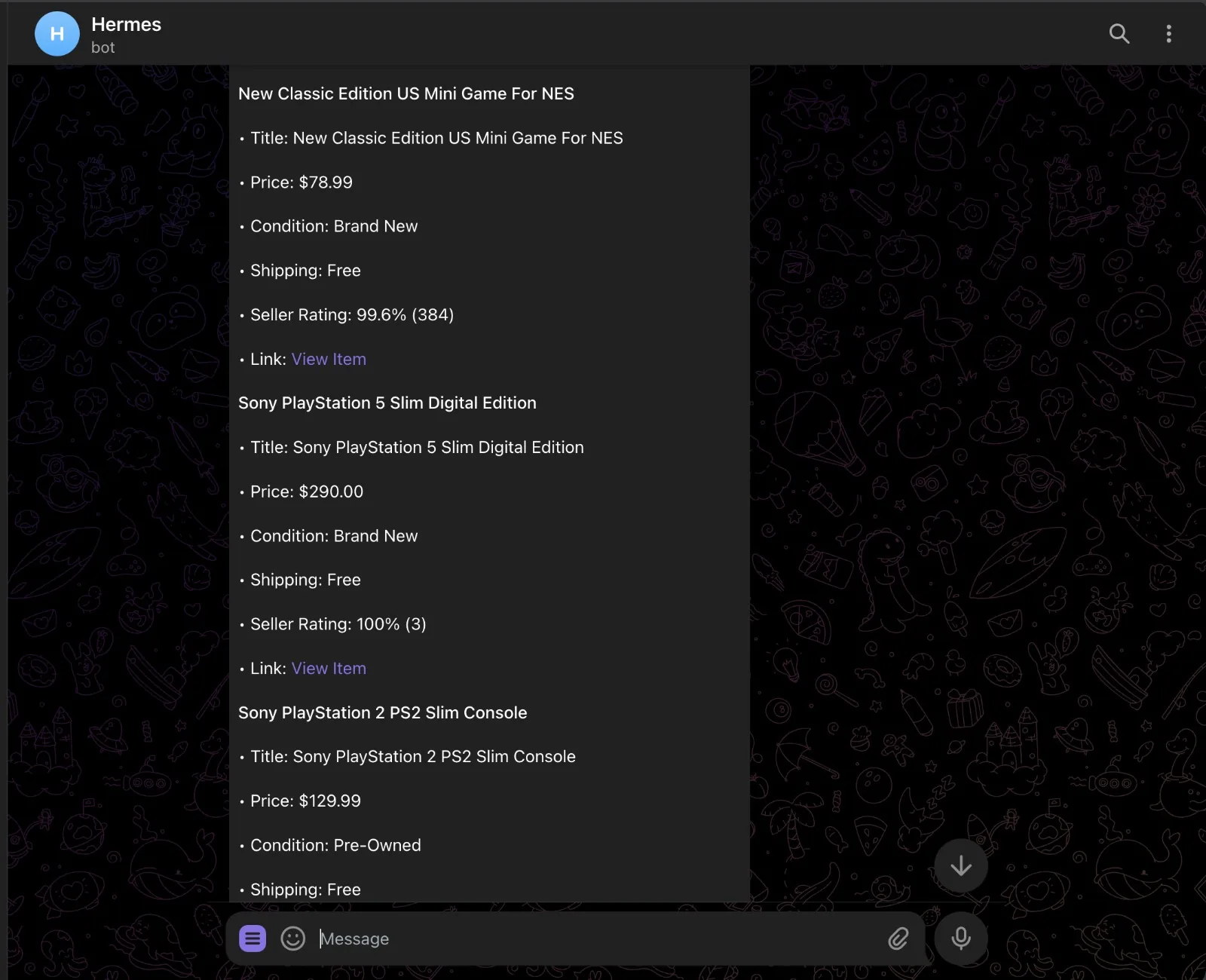
 Because
 just-scrape returns schema-validated JSON, every listing comes back with the same fields in the same shape. No regex parsing, no markdown wrangling:
Schedule recurring scrapes
Hermes has a built-in cron scheduler. Hand it a job in natural language and it figures out the schedule, prompt, and delivery target. Stay in the same chat session so Hermes has the context fresh, then send:cronjob tool, writes the job, and confirms back:
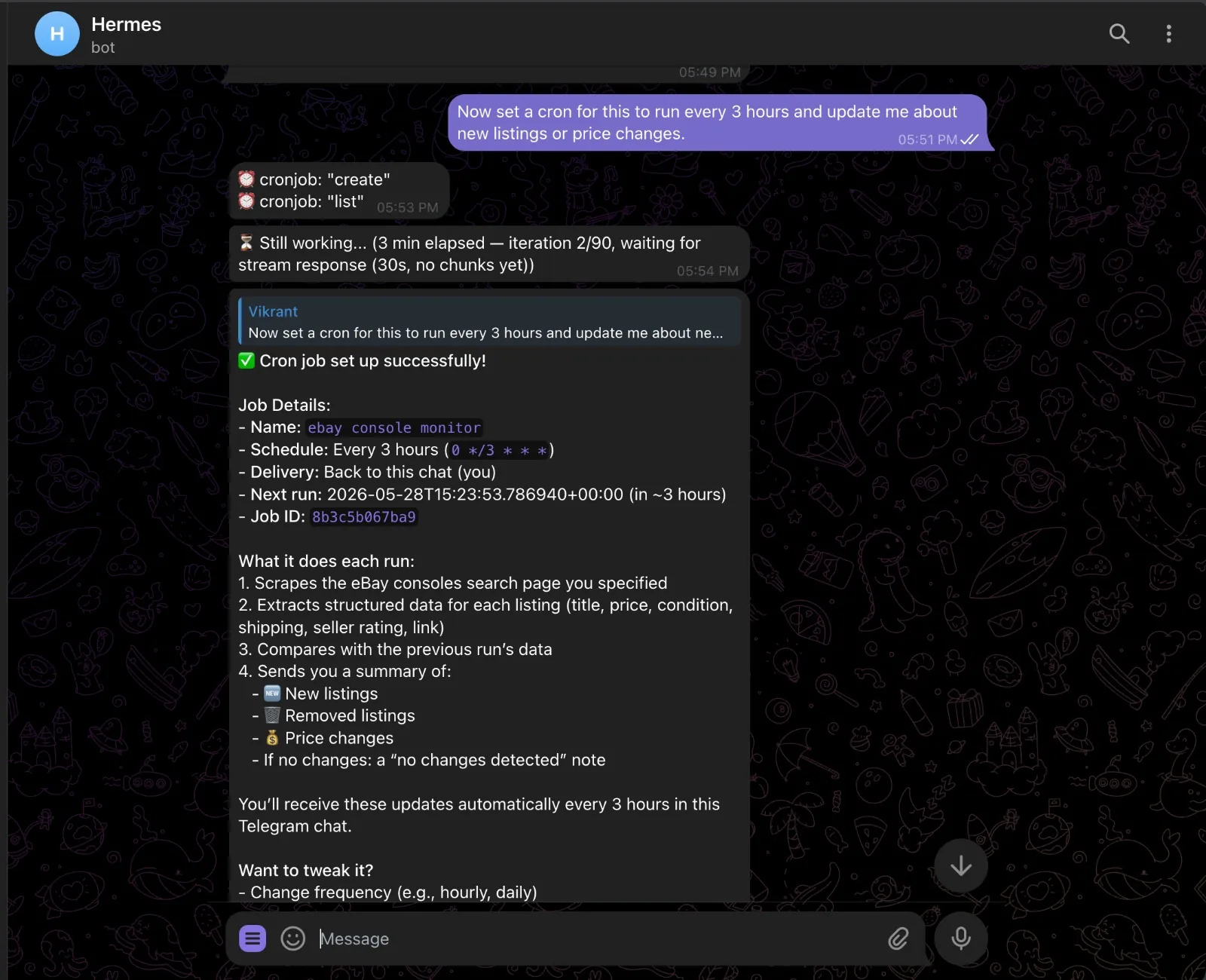 Each run scrapes the page, compares the result with the previous run stored in memory, and sends a diff — new listings, removed listings, price changes. If nothing moved, you get a quiet “no changes” note instead of noise.
Manage jobs from chat:
Each run scrapes the page, compares the result with the previous run stored in memory, and sends a diff — new listings, removed listings, price changes. If nothing moved, you get a quiet “no changes” note instead of noise.
Manage jobs from chat:
hermes cron list. Cron sessions cannot create new cron jobs, so you cannot accidentally trigger runaway scheduling loops.
What you can build
The pattern is always the same: scrape, persist, compare, alert. Swap the URL and prompt and you have a different agent.- Competitor pricing watch — point it at a SaaS pricing page, schema the plan tiers, get a diff every Monday morning
- Lead enrichment — feed Hermes a CSV of company URLs, scrape each homepage, extract company name, industry, headcount, and latest news
- Job board scraper — watch a search on Wellfound or LinkedIn; new posting drops, you get a ping with the role, salary, and link
- Release notes digest — scrape changelog pages for tools you depend on, daily digest of what shipped
- News digest —
just-scrape search "AI news"on a morning cron, top 5 stories summarized before your first meeting
Support
Need help with the integration?GitHub Issues
Report bugs and request features
Discord Community
Get help from our community