

Overview
OpenClaw is a self-hosted gateway that connects your chat apps to an AI coding agent — message it from Telegram, Slack, Discord, WhatsApp, and more. The one thing it cannot do out of the box is read the live web reliably with structured output. The ScrapeGraphAI just-scrape skill fixes that. One CLI install plus one skill install gives the agent behind OpenClaw a clean scraping toolkit that returns schema-enforced JSON instead of markdown soup. OpenClaw’s channels let you drive it from wherever you already chat.GitHub Repository
Browse the CLI and skill source
Prerequisites
Setup
1
Install OpenClaw
Install OpenClaw on macOS or Linux:Run the onboarding wizard, which installs the background daemon and walks you through picking a model provider and entering its API key:Confirm the gateway is running (it listens on port 18789):
2
Connect a channel
Connect Telegram (or any other channel) so you can message your agent from your phone. Follow OpenClaw’s Telegram channel guide to wire up the bot and approve your first chat.Once connected, any message you send the bot is routed to your agent, and its reply comes straight back in the same thread.
3
Install the just-scrape CLI
Install the ScrapeGraphAI command-line tool globally:Set your API key and confirm it works:
Get your API key from the dashboard. Add the export to your shell profile so the agent inherits it on every launch.
4
Install the just-scrape skill
Install the skill so the agent behind OpenClaw knows how and when to call The skill lands in
just-scrape:~/.agents/skills — one of the directories OpenClaw loads skills from — so it is available to your agent on the next session.Scrape from chat
Open the chat with your bot and send it a URL plus a request. For the demo, point it at an eBay search for consoles:just-scrape skill and runs just-scrape extract. eBay is JavaScript-heavy, so it reaches for --mode js --stealth on its own — a plain extract comes back almost empty. It pulls 82 console listings and saves them as structured data, right there in the thread.
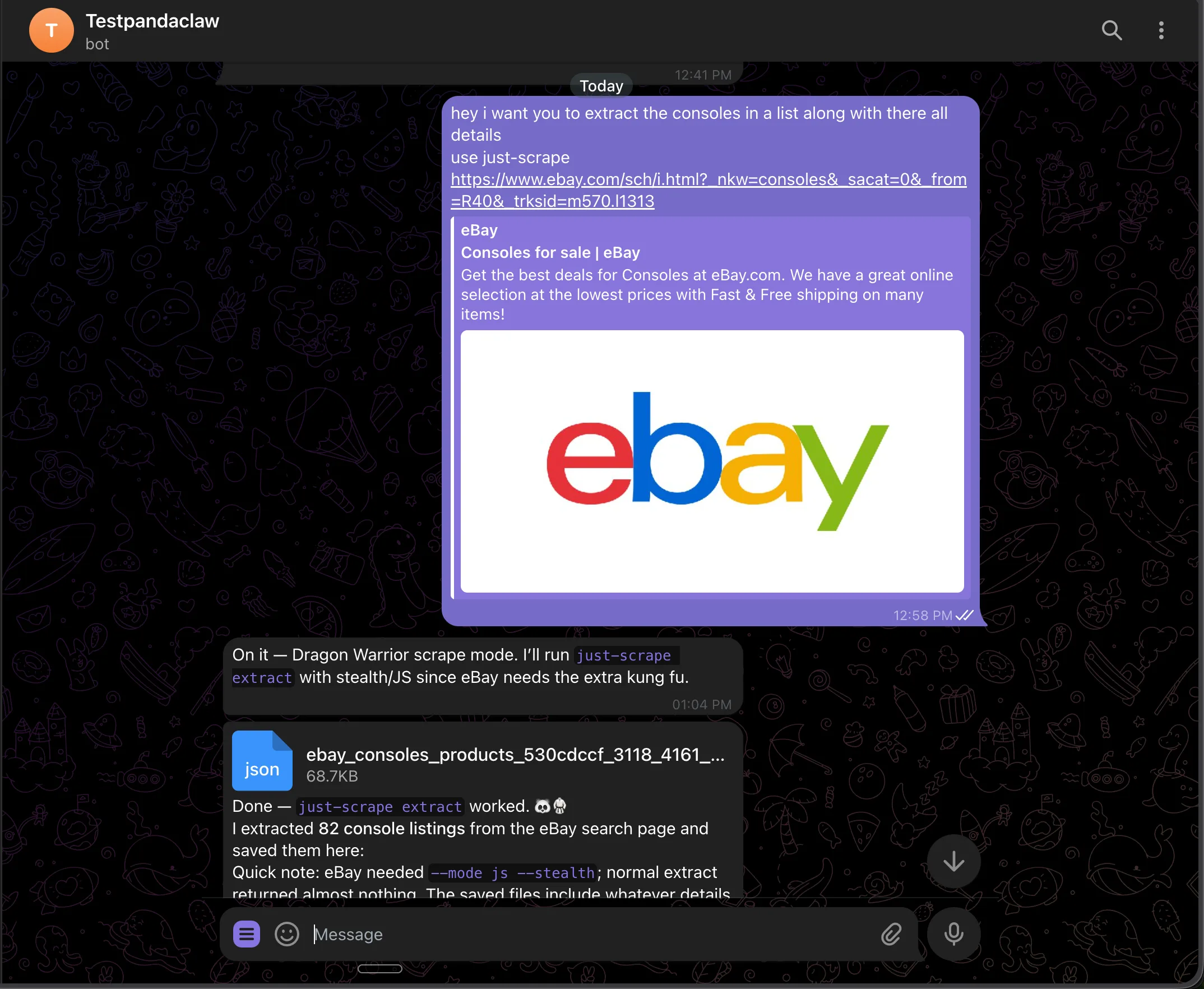 Because
 just-scrape returns schema-validated data, every listing comes back with the same fields: title, price, condition, shipping, seller, ratings, sold/watchers, image URL, and listing URL. No regex parsing, no markdown wrangling — and you get both JSON and CSV out.
Put it on a schedule
You do not have to trigger every run by hand. Ask the agent to keep watching, and it sets up a recurring job that reports back to your chat:just-scrape extraction at 6 PM UTC, and pings you with anything new.
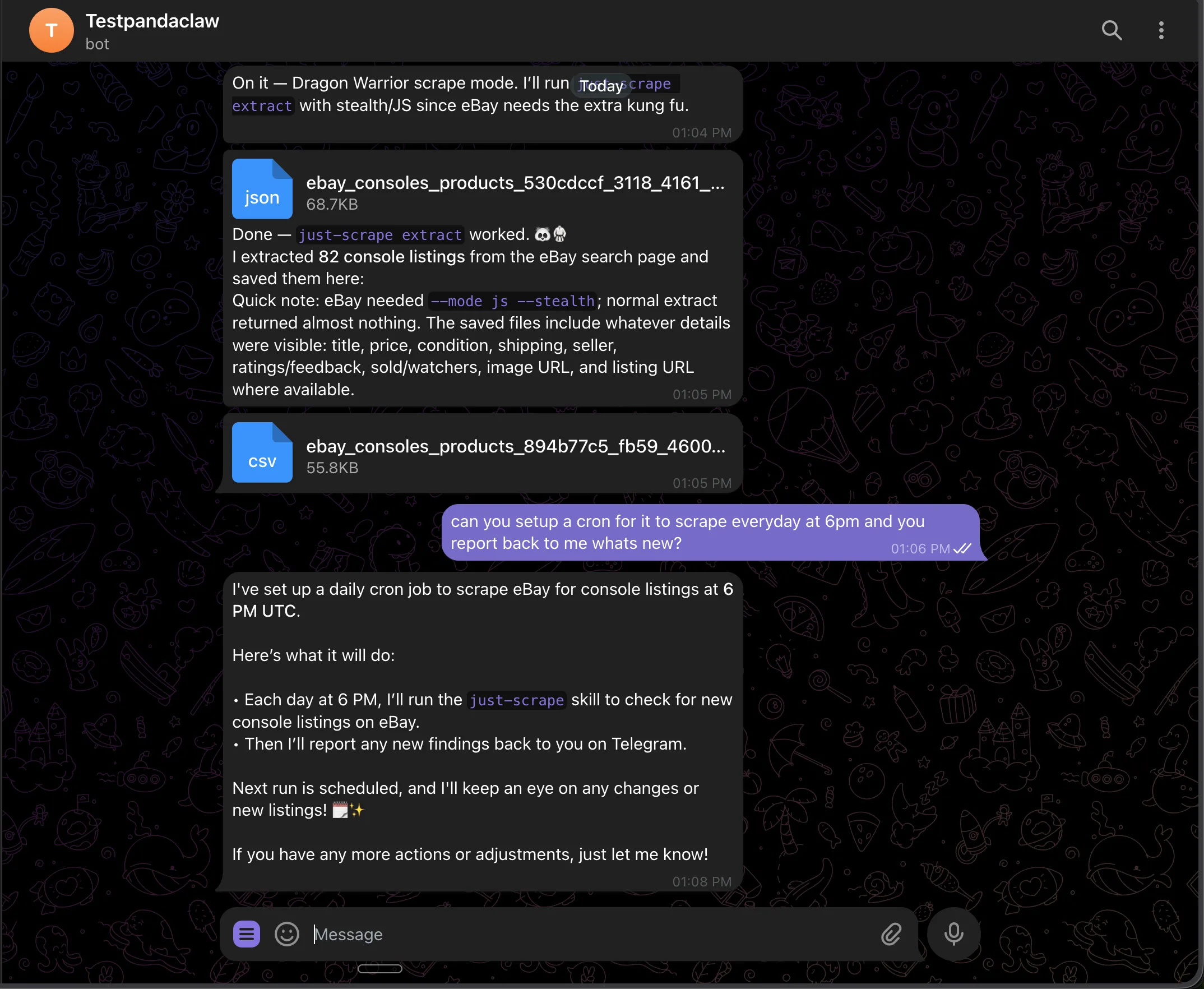 Each run scrapes the search page, compares against the last result, and sends what changed: new listings, removed listings, price moves. If nothing moved, no noise.
What you can build
The pattern is always the same: ask from chat, get structured data back. Swap the URL and prompt and you have a different agent.- Competitor pricing watch — point it at a SaaS pricing page, schema the plan tiers, ask for a diff whenever you want one
- Lead enrichment — message a list of company URLs; the agent scrapes each homepage and extracts name, industry, headcount, and latest news
- Job board scraper — ask it to check a “remote senior Go” search and ping you with the role, salary, and link
- Release notes digest — scrape changelog pages for tools you depend on and get a summary of what shipped
- News digest —
just-scrape search "AI news"and get the top stories summarized before your first meeting
Support
Need help with the integration?GitHub Issues
Report bugs and request features
Discord Community
Get help from our community